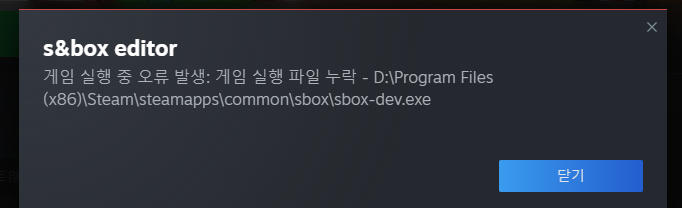
Unable to start the editor.
Reply on sbox.game-
I've installed the editor and the game file on both the same drive. However, when launching the editor, I get the following errors:
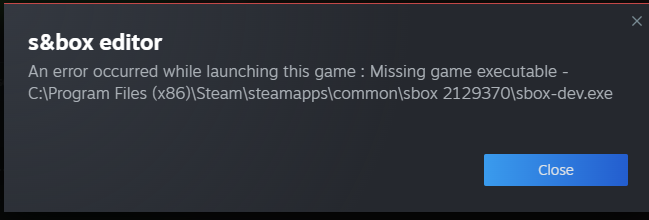
image.png 98.2 KB
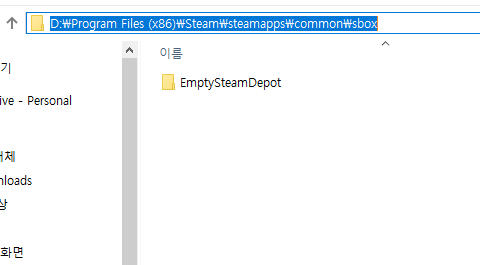
Inspecting more closely, it seems that the "sbox-dev.exe" is in the sbox game folder but steam is looking for a completely different folder that is empty. -
Happened to me. I have to manually add "sbox-dev.exe" to steam to get my shortcut..
-
I think it’s a temporary problem; you can solve it by creating a symlink between sbox 2129370 (editor) and sbox (game).
-
My case is exactly the same. I am currently living in mainland China, and even after installing the file, the files won't download and it shows the exact same error message. -
Hi
I saw this workaround in sbox discord
1) Close steam
2) go to your \Steam\steamapps folder
3) edit appmanifest_2129370.acf and change installdir to "sbox"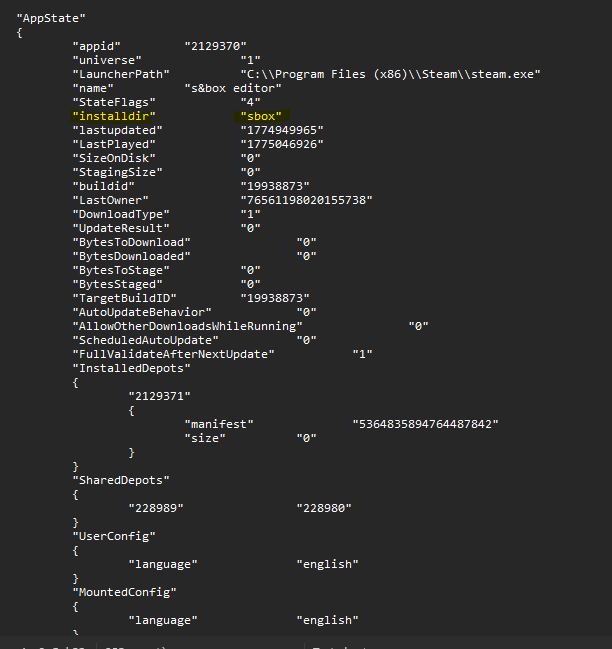
image.png 35.09 KB
Note: Make sure you installed SBox BEFORE sbox-editor -
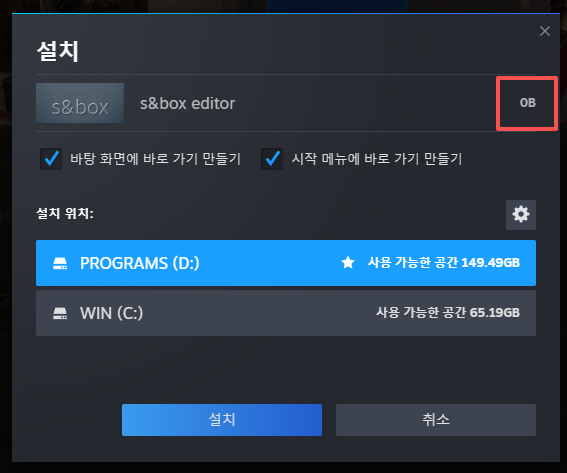
image.png 136.13 KB
My computer's appmanifest_2129370.acf has "installdir" set to "sbox".
But when I try to install the sbox editor through Steam, it shows the download size as 0B. Is this because I'm in China? -
No it's perfectly normal
You need to install and start at least once S&Box then install S&box editor (which is just a shortcut to sbox-dev.exe, that's why it's 0B)
And if it still state "missing exe" follow the workaround -
It still state "missing exe" and i can't find "sbox-dev.exe" at the folder (I instailled it to D drive of my computer)
The Korean text of the error message below means 'Missing game executable'
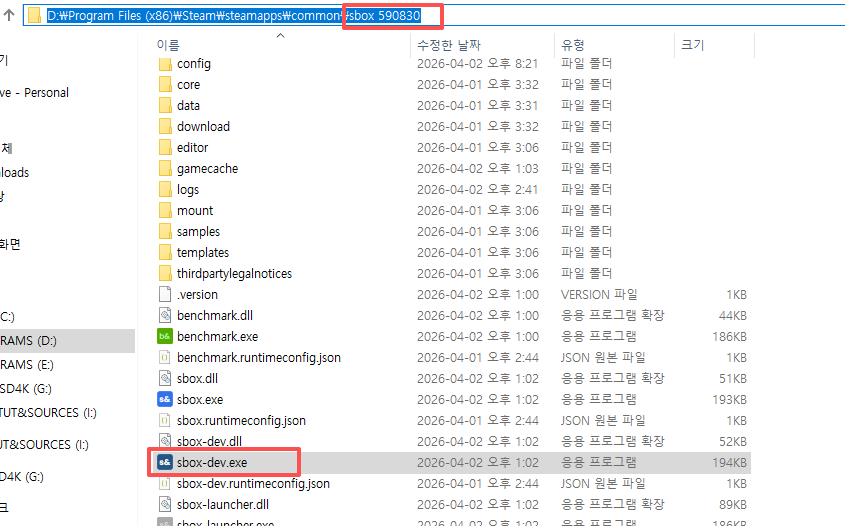
and i found "sbox-dev.exe"at other folder named "sbox590830" -
Funny
then instead of just putting "sbox" in the appmanifest_2129370 try to put "sbox 590830" (not sure about the whitespace too)
Edit: I think I know why, you probably installed sbox-editor **before** s&box -
I found a solution for that:
https://sbox.game/f/devhelp/1849/1/#post2
Do NOT install the editor. It seems like it is meant for the official release down the line, later in April. Follow my steps in the post I linked - this resolved all editor issues for me (I had several...). Hope it helps.