No Stupid Questions
Reply on sbox.game-
what's Doo?
-
This response was for TheDoomLord. Me too, kid. I doubt it at this point. It's better to just learn C# in the end. But because the engine's open source, someone can make their own actiongraph as a library addon for S&box.
-
Thats Doo
-
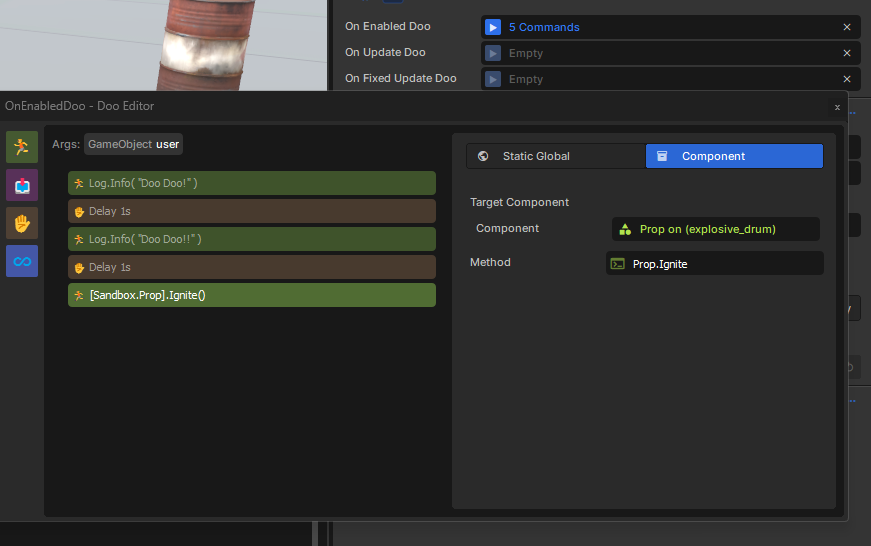
It's S&box's new visual scripting, similar to Scratch. It's heavily restricted for some reason. Obviously, I don't agree with it having many restrictions, but that's the good thing about open source. Someone can just make their own library addon that improves Doo.what's Doo?
-
I know a little bit of C# from my dabbling in Unity so ill just have to make do for nowThis response was for TheDoomLord. Me too, kid. I doubt it at this point. It's better to just learn C# in the end. But because the engine's open source, someone can make their own actiongraph as a library addon for S&box.
-
So apparently I need a code editor. Visual studio is referenced. Is this the way to go or can I use an alternative not to support Microsoft?
What Does the S& Box community recommend? -
C# is a programming language made by Microsoft; Visual Studio Community is the 'default' choice, and offers very good first-party support for all language features.So apparently I need a code editor. Visual studio is referenced. Is this the way to go or can I use an alternative not to support Microsoft?
What Does the S& Box community recommend?
Alternatively, people use Jetbrain Rider which is a paid alternative, although they have a free non-commercial license available.
I recommend you stick with Visual Studio regardless of any personal feelings about Microsoft. It is a good and free product. -
Thank you Very much. Exactly what I needed to hear.
C# is a programming language made by Microsoft; Visual Studio Community is the 'default' choice, and offers very good first-party support for all language features.
Alternatively, people use Jetbrain Rider which is a paid alternative, although they have a free non-commercial license available.
I recommend you stick with Visual Studio regardless of any personal feelings about Microsoft. It is a good and free product. -
Thank god theres a thread for this.
How do I make an outline for a Hud? This is def different from java, I just dont know how to put a square outline over a screen component, much less make an object clickable to bring up various menu options. Ive only worked with Eclipse IDE so working with a game engine like this is totally new.
Any resources would be great too, anything to push forward really! -
The HUD using Razor Pages is basically a standard website, but with C# replacing Javascript.
Anything* that you can do with css you can do in Sandbox. Adding an outline should be trivial, but if you want a step by step tutorial, there is a great (but somewhat lengthy) video on the topic of UI in Sandbox.
* almost all css; it's not a 1:1 copy but it's pretty close.Thank god theres a thread for this.
How do I make an outline for a Hud? This is def different from java, I just dont know how to put a square outline over a screen component, much less make an object clickable to bring up various menu options. Ive only worked with Eclipse IDE so working with a game engine like this is totally new.
Any resources would be great too, anything to push forward really!