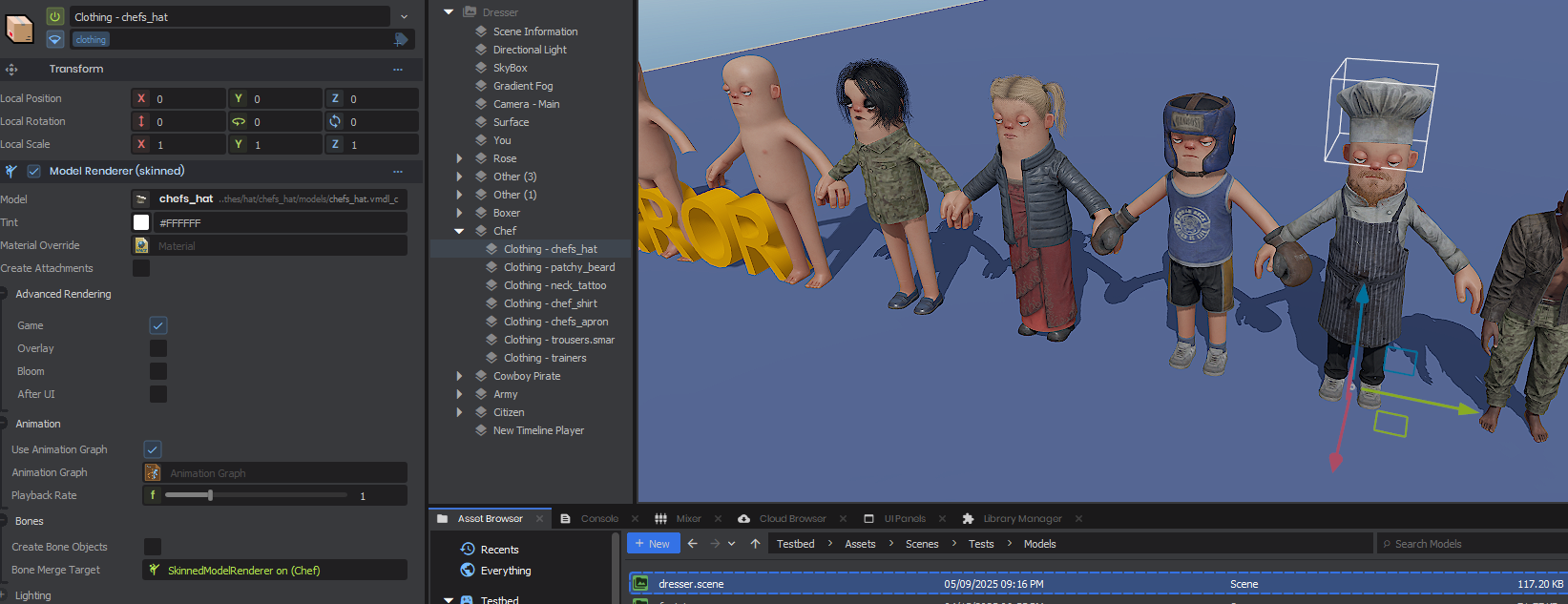
Adding clothes to a character
Reply on sbox.game-
Hello !
How to dress a character in S&BOX editor?
I've searched all the Player controller and body settings, but I haven't found anything.
Thank :) -
Thanks. ^
-
Thank you for your answer, but I still don't understand.
In https://sbox.game/dev/doc/clothing/ there's nothing on the page, and in the children's pages it's information on how to create a clothing item and publish it. The only thing that displays clothes is ModelRender, but that's still wrong, because the clothes don't move when the character walks.
For https://github.com/Facepunch/sbox-walker/blob/main/code/PlayerDresser.cs, without more information I don't know what to do.
Isn't there a simple way to add clothes to the citizen in the editor? For example:
- Click here and here to add clothes
- Write player.head.addCloth([“ClothPath”]) to add a clothing item to the head -
my code for adding random clothes from the list for zombies
https://github.com/somethink000/S-box_real_FPS_base/blob/main/Code/NPC/Dresser.cs
https://github.com/somethink000/S-box_real_FPS_base/blob/02bb8c2a3102b56a409d4e0ba182223e9093c2a2/Code/NPC/Zombie.cs#L86
as i know it is attached as bonemerge or something like that. you can download repository and see how it works on zombies -
Thank "some ..." !
How do you fill the “GroupedCloth” lists:
[Property] public List<ClothStruct> Jackets { get; set; }
[Property] public List<ClothStruct> Shirts { get; set; }
[Property] public List<ClothStruct> Trousers { get; set; }
[Property] public List<ClothStruct> Shoes { get; set; }
Is it the “clothing.Apply( BodyTarget );” that adds the clothing to the character?
There's no Apply function here: https://sbox.game/api/allclasses/Sandbox.ClothingContainer/ -
ok there the code you actualy need
public sealed class Dresser : Component, Component.ExecuteInEditor { //body model [Property] public SkinnedModelRenderer BodyTarget { get; set; } //property that contains some cloth part from asset browser [Property] public ClothingContainer.ClothingEntry ClothPart { get; set; } protected override void OnAwake() { if ( !BodyTarget.IsValid() ) return; var clothing = new ClothingContainer(); clothing.Height = 1; clothing.Add( ClothPart ); clothing.Normalize(); clothing.Apply( BodyTarget ); BodyTarget.PostAnimationUpdate(); } } -
Thank you !