So, upon release version we may get linux support? I am fully invested alr? Like, I am not asking about how long it'll take, only if there will be any at all.
where do project files get stored if I'm using proton? Like where is my s&box editor 'c' drive? I was looking around in ~/.steam/steamapps/compatdata but didn't see anything... the editor doesn't know that I have vscode installed so I want to manually edit new project files but I can't seem to find them...
I managed to get the editor running w/ proton by adding it's .exe as a non steam game. The first time you launch it it will tell you you need some net runtime or another, follow the link and install it using protontricks.
I'm using Arch if it matters, but i suspect it wont since the guy that gave me this tip was running Fedora.
The editor "works" on Linux using Proton, as far as not exploding and being interactive.
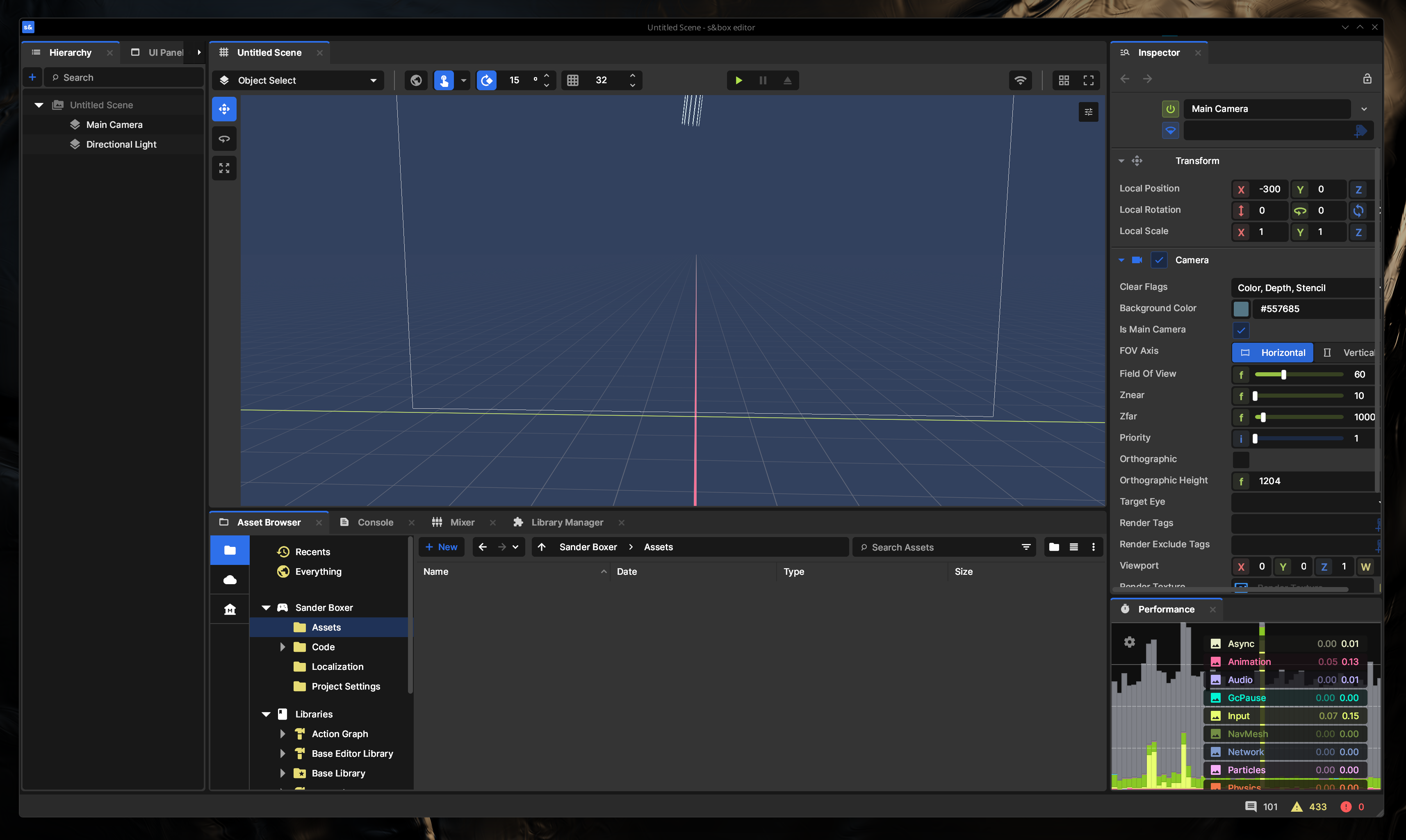
I just had to enable compatibility tool on Steam and manually install .NET 10 through image.png814.34 KB However, as you can see on the screenshot, the menu bar across the top is cropped out under the title bar. Even if I disable the title bar, it's still cropped. This means I don't have access to things like publish/export, settings, or additional windows.
So generally unusable for anything but playing around with a test scene.
Also doesn't integrate with the native file browser and code editors and such, but that's sort of expected.
Update:
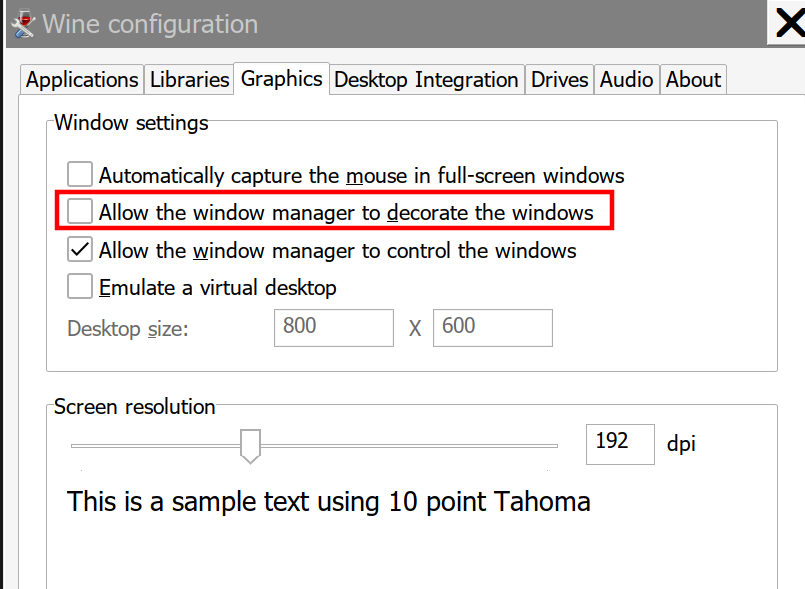
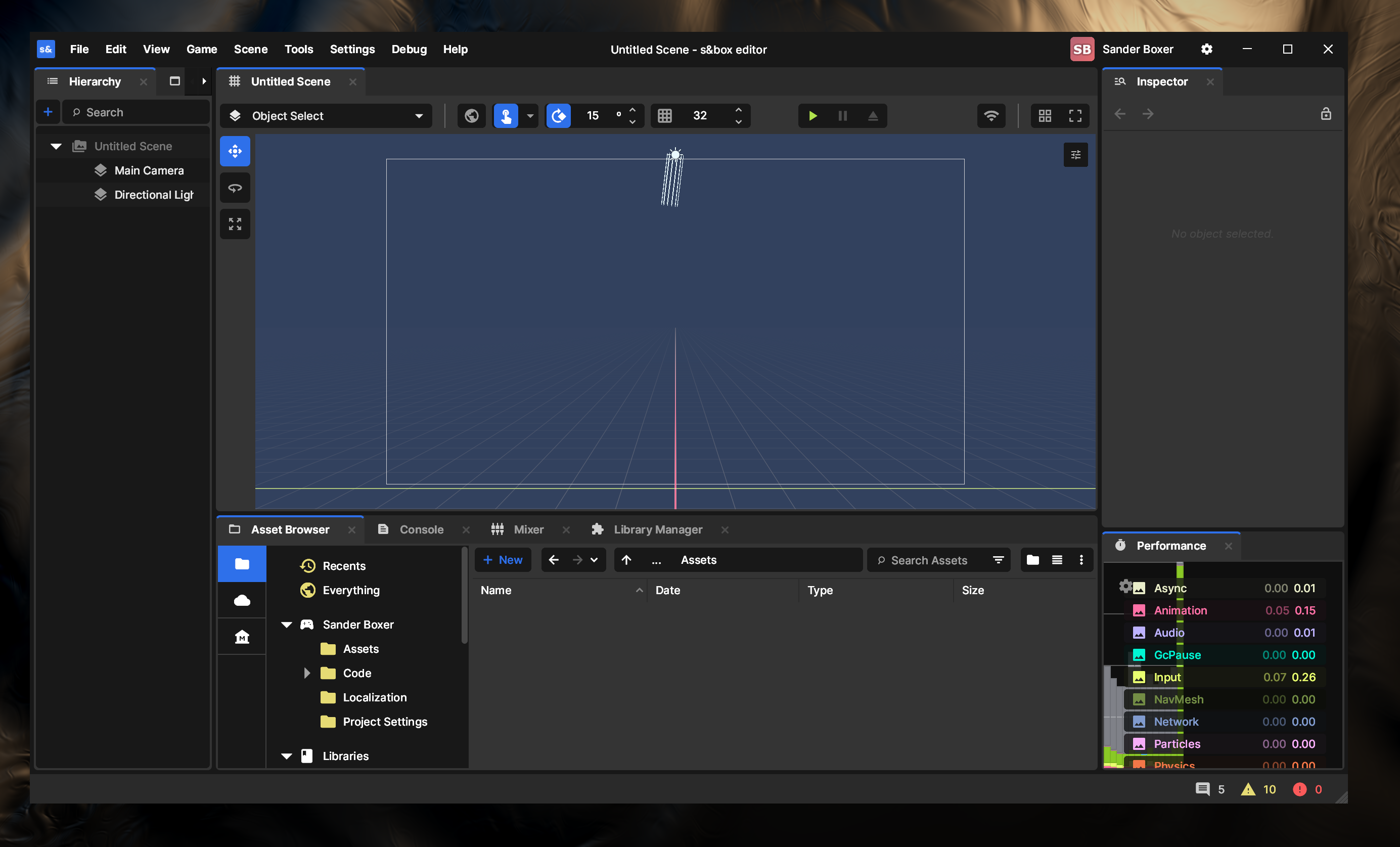
To fix the menu bar, Protontricks > S&box Editor > Default wineprefix > Run winecfg > Graphics tab > Uncheck "Allow the window manager to decorate the windows".image.png48.88 KBThis will allow you to see the menu bar and project settings, which should be enough (also on that tab you can adjust the DPI if you are on a high-DPI screen and the UI is too tiny)image.png621.63 KB