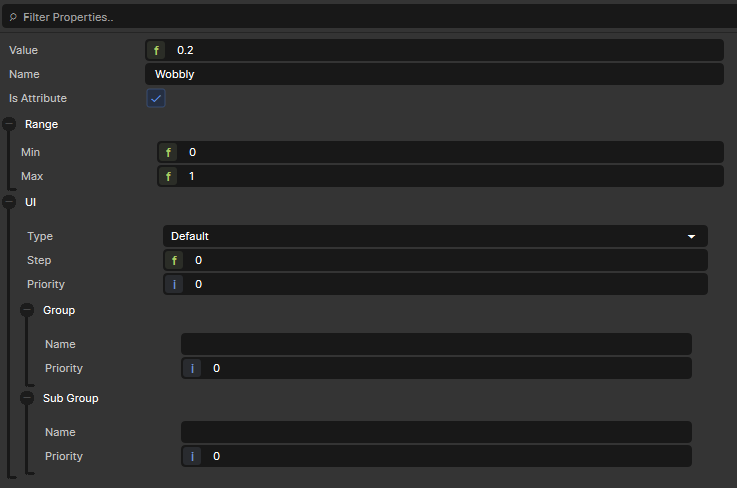
If a Constant has "Is Attribute" set to true, then the value will not be exposed in the Material Editor and will instead be accessible via RenderAttributes in code.
I created a variable called "Wobbly" which has clearly noticeable effects when I modify the value within the ShaderGraph itself - so the Variable itself does "work". When trying to set the same variable from my C# code however, I see no effect. I tried these two approaches:
Both (1) and (2) seem to have no effect. I notices however, that (2) does return false which I assume means that something went wrong. (3) does print 100, so (1) seems to at least have done "something", but it doesn't actually change the visuals of my shader.
For completeness sake, here are the settings from by Wobbly Variable within the Shader Graph: image.png16.43 KB Any help would be much appreciated!
That did indeed change the appearance! However, it's not exactly what I was hoping for. It changes the attribute for every instance of the material in the whole scene (as the name already implies). I was hoping to just change the material of one instance. Is there a way to do that?