
Library System
Library
new_releases
New — just published
Build several packages from one codebase: list, install, remove and publish libraries from an editor menu or MCP.

Build several packages from one codebase
Library System lets you (or your AI agent) list, install, remove and publish libraries without leaving the s&box editor. Keep every system you want to share as a library inside one game project, test it there, and ship each one as its own package.
Two ways to use it
- Editor menu: Tools > Library System opens a window listing the libraries in your project, each with Versions, Publish and Remove buttons, plus an Install box for any sbox.game ident.
- MCP: the same actions are four tools on the editor's MCP server, for scripts and AI agents.
MCP tools
- library_versions: lists a library's published versions and the version you have installed.
- library_install: installs a published library into the project by ident.
- library_uninstall: removes an installed library and deletes its folder.
- library_publish: compiles the library (if it has code), uploads its files and publishes a new version with your change title.
How to use
- Install Library System into your game project and restart the editor.
- Put each system you want to share in the Libraries folder as its own library.
- Open Tools > Library System and press Publish, or call library_publish from any MCP client with the library's ident.
New packages start Hidden. When a package is ready, switch it to Released on its sbox.game edit page.
Editor-only: nothing ships with your game.
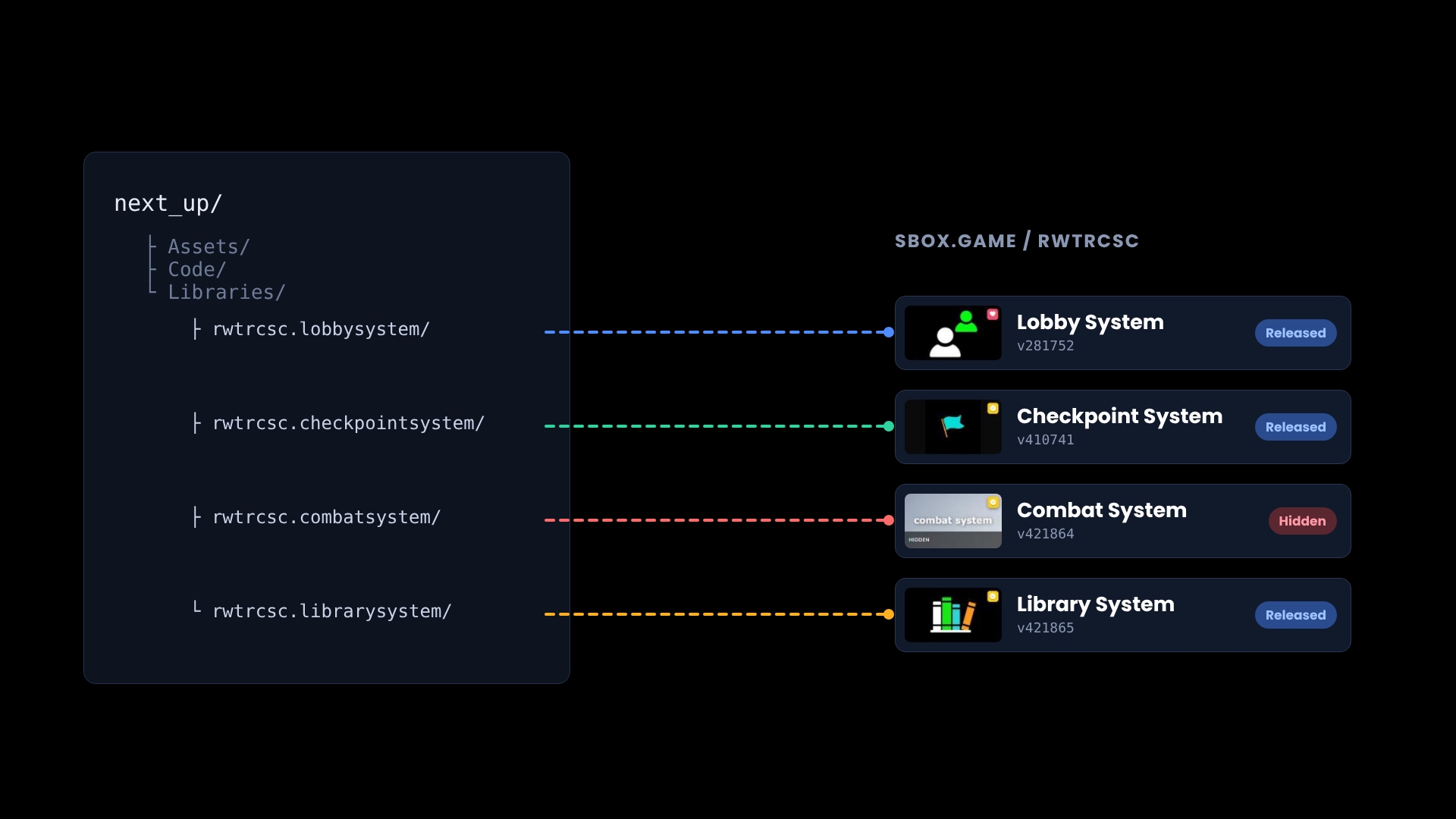
Our Lobby, Checkpoint, Combat and Library System packages all ship from one game project. Library System published itself.
No usage statistics available
This package may be new or not widely used yet. Usage data becomes available as more users install and play with the package.
This package may be new or not widely used yet. Usage data becomes available as more users install and play with the package.
0 recorded entries
| Rank | Player | Score | Recorded |
|---|---|---|---|
|
refresh
Discovering package leaderboards...
|
|||
Package ID:
rwtrcsc.librarysystem
Created:
2026-10-08 16:27 UTC
Updated:
2026-10-08 19:59 UTC
Type:
library
Public:
Yes
Version:
421927
files:
4
Size:
0.0 MB
Engine Version:
29
Asset Version ID:
421927
Version Created:
2026-10-08 19:59 UTC
Hash:
1791489579
Manifest: Open manifest
more_horiz Additional Properties
Summary:
Build several packages from one codebase: list, install, remove and publish sbox.game libraries from an editor menu or MCP.
Compiler:
{"RootNamespace":"LibraryTools","DefineConstants":"SANDBOX;ADDON;DEBUG","NoWarn":"1701;1702;1591;","WarningsAsErrors":"","TreatWarningsAsErrors":false,"Nullables":false,"Whitelist":true,"ReleaseMode":"Debug","AssemblyReferences":[],"IgnoreFolders":["unittest"],"DistinctAssemblyReferences":[]}
421927
Oct 8, 2026
Remove no longer shows s&box's Library Removed popup; removed libraries drop out of the list
421897
Oct 8, 2026
Library System window now listed under the Tools menu
421894
Oct 8, 2026
Editor window: Tools > Library System lists, installs, removes and publishes libraries
421872
Oct 8, 2026
Removed makePublic: visibility is set on sbox.game, not by publishing
421865
Oct 8, 2026
First release: list, install, uninstall and publish libraries over MCP
Live API Passthrough & Removal Notice
This file manifest and asset metadata are retrieved live directly from the official Facepunch s&box public API. s&box Explorer does not host, store, or redistribute any package files. All download links route directly to Facepunch CDN servers.