
Claude bridge
LibraryConnects Claude AI to your s&box editor in real-time. Describe what you want and it creates. Game Dev is open for all!

thumb_up
28
open_in_new
View on sbox.game
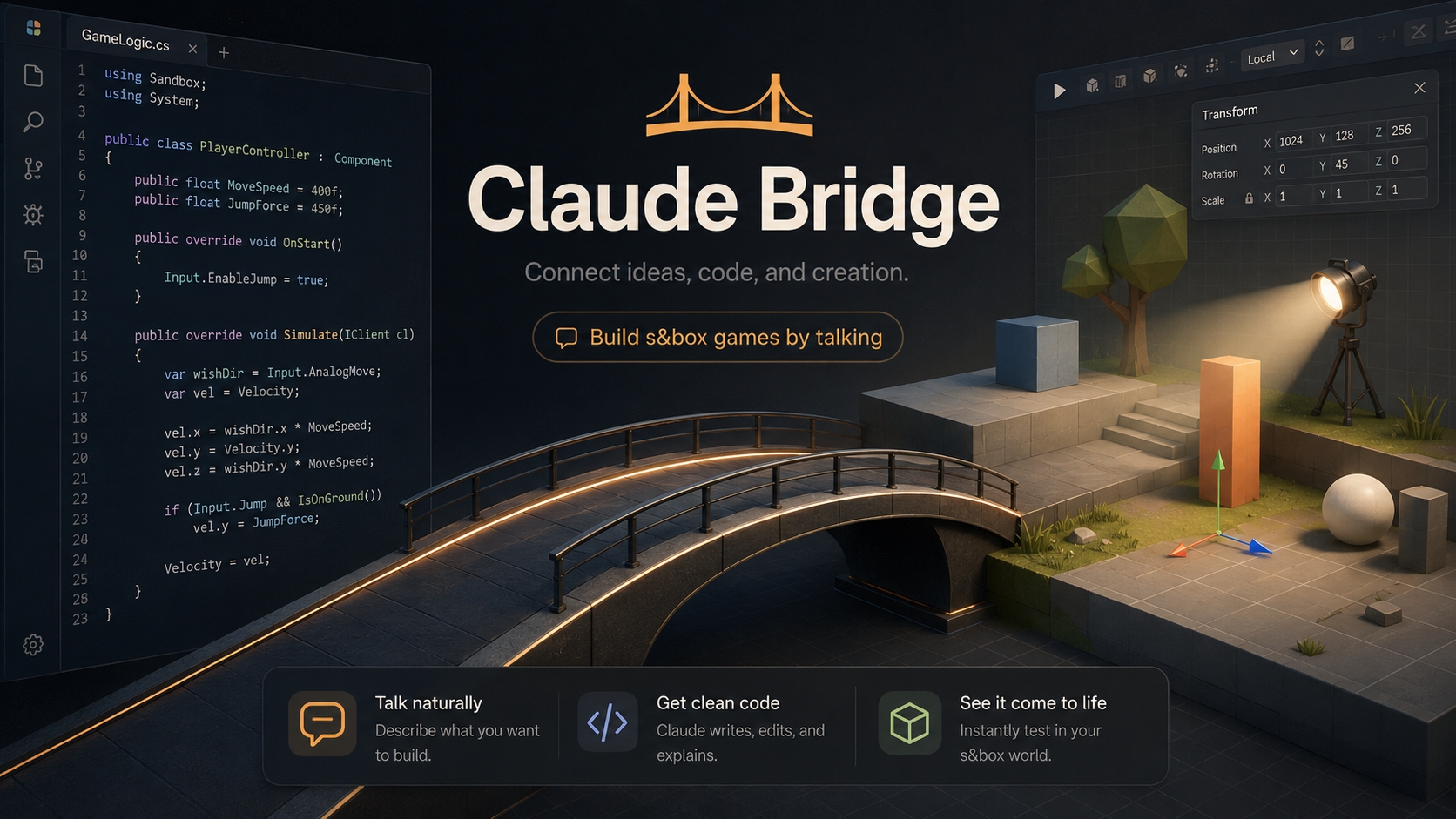
Claude Bridge for s&box, NOW! With Codex
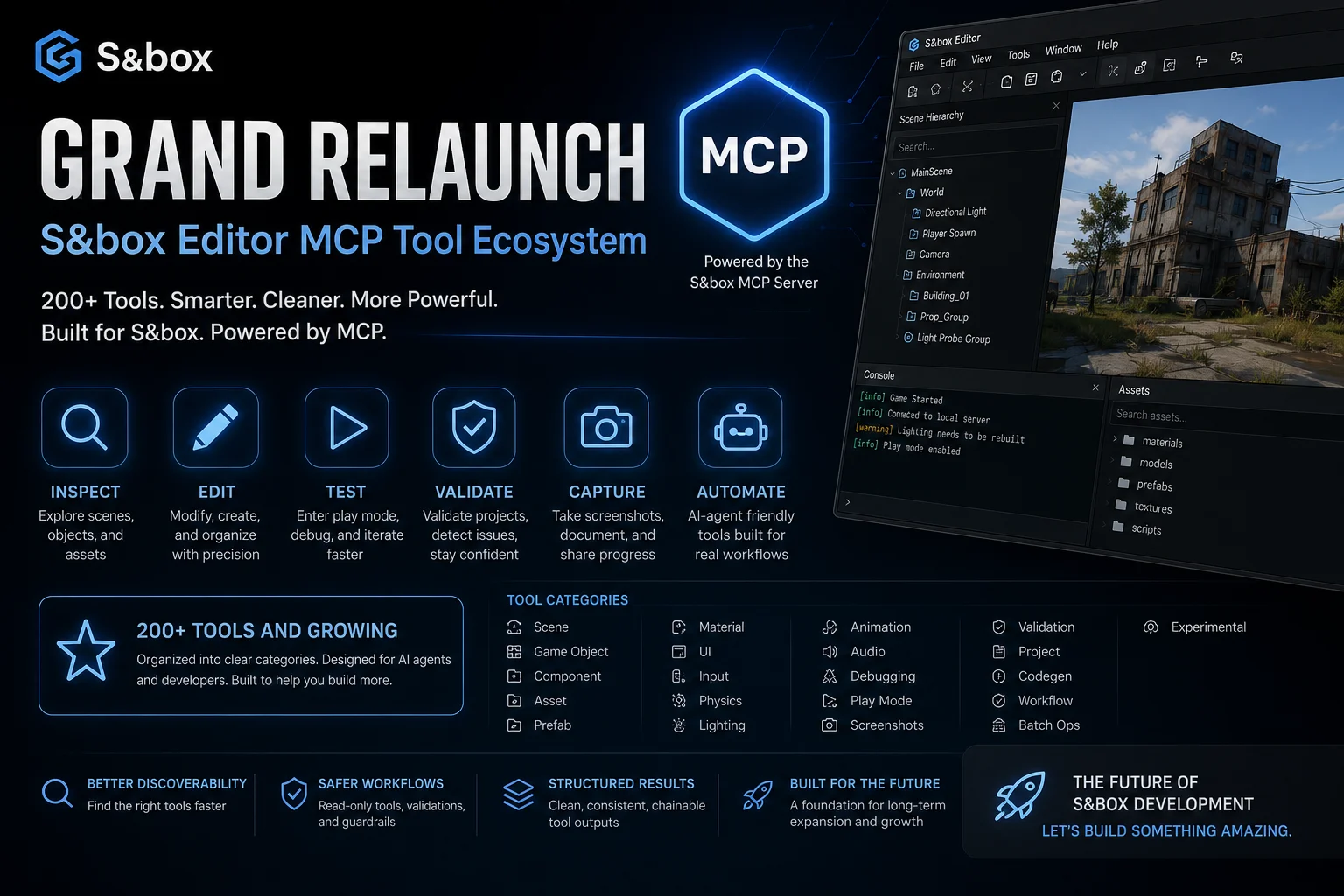
(Revamped for NATIVE MCP) · MAJOR TOOLSET UPDATE
Build s&box games by talking to Claude, Codex, or any AI.
273 native tools · 28 toolsets, served by s&box's built-in editor MCP server. An AI working inside your editor: writing scripts, creating GameObjects, wiring components, building whole systems, physics, networking, UI, lighting, characters, terrain, vehicles, cutscenes. You describe it; the AI builds it, screenshots it, sees the image, and fixes it.
But the tools aren't the real story, the bridge ships a 🧠 brain. The plugins bundle sbox-cookbook: a code-grounded knowledge base mined from 51 real, shipped, open-source s&box games. The AI reaches for proven, shipped patterns, real inventories, economies, save systems, netcode, whole genre playbooks, instead of guessing.
📖 Docs & changelog: sboxskins.gg/claudebridge · setup · changelog · troubleshooting · FAQ
📬 Feedback: [email protected] or GitHub Issues
🆕 NOW with Codex
The s&box Codex Bridge is a first-party distribution of the whole experience for OpenAI Codex: same 273 tools, same cookbook brain, same screenshot-verify workflow, generated from the Claude plugin by the same scripts, so the two can never drift.
codex plugin marketplace add LouSputthole/Sbox-Claude --ref codex-v2.2.0
codex plugin add sbox-codex-bridge@sboxskins
And because the editor hosts the MCP server, any MCP client connects over local HTTP, no Node.js required.
⚡ Start here: the one-command plugin
/plugin marketplace add LouSputthole/Sbox-Claude
/plugin install sbox-claude          (then restart Claude Code)
That single install gives you:
- 🧠 The brain: sbox-cookbook, the #1 reason to use this
- 🤖 A specialist game-dev agent: knows the workflow, the gotchas, when to reach for the cookbook
- 📸 The screenshot workflow skill: build → screenshot → verify → fix, so the AI is never building blind
- 🔌 Both MCP servers registered: the native editor endpoint + the optional lifeline, zero version drift
- 👋 Onboarding: first connect checks the bridge, detects your libraries, suggests a first move
You still install the s&box addon from this page (see Install below).
🧠 The brain: build like a shipped game, not a guess
The hardest part of building with an AI isn't typing C#, it's knowing the right pattern. Where does the money live so a client can't forge it? How do you sign a save file? Get those wrong and it compiles, then desyncs, dupes currency, or corrupts saves.
sbox-cookbook answers exactly those questions: 11 engine references, 18 system how-tos, 20 genre playbooks, all citing real source from 51 shipped games. Ask "how do I build a tycoon / an inventory / a save system?" and it loads the grounded recipe.
- 🎮 Genre playbooks: tycoon/idle, deathmatch, platformer, survival/horror, card-battler, gacha, social-hub, sandbox, vehicles, roleplay, more, each with the system stack, a build order, and how real games did it
- ⚙️ Game systems: inventory, economy, shops, saves, progression, loot tables, leaderboards, crafting, dialogue, round flow, waves, anti-cheat
- 🔩 Engine fundamentals: networking & authority, player controllers, Razor UI, physics & traces, lifecycle, world-gen, performance
It also carries the cross-cutting laws that bite every system: authority gating, host-authoritative money/health/score, request → apply → confirm RPCs, sanitize-and-clamp-on-load saves. The kind of thing you only learn by shipping.
💬 How it works
You: "Make a player controller with WASD, mouse look, double-jump, and a flashlight."
Claude: writes the script, wires the input, sets up the spotlight, then aims a camera, sees the PNG right in the tool result, and checks its own work.
You: "Build me an inventory with a hotbar."
Claude: opens the cookbook's inventory recipe, builds it host-authoritative like real games do, then runsnetworking_lintto confirm it actually replicates.
You: "Does my game actually work with two players?"
Claude: runsstart_multiplayer_test: a REAL second game client boots, joins a private lobby, and plays in your session. (New in v2.2.0.)
✅ Great at: game systems through conversation. controllers, NPCs, networking, UI, prefabs, vehicles, cutscenes, whole genre loops, clean, working s&box C#.
🟡 Serviceable at: map building. It sees its own screenshots now, so it's not blind, but final visual polish still wants your eyes.
🚀 What's new
v2.2.0: args that just work, multiplayer that tells the truth, and Codex
- Rotation & vector args fixed everywhere: comma strings, arrays, and objects all parse on every creation, transform, camera, and placement path. The #1 paper cut of the native era is gone.
- Multiplayer test harness is LIVE: real
sbox.execlients in private hidden lobbies, truthful status tracking (dead clients report dead), full cleanup and rollback. - NOW with Codex: first public s&box Codex Bridge (see top).
v2.1.0 "Action!": the +30-tool cinematic wave
- 🎬 Gameplay recording: capture real play to
.movieclips;record_playtest= a scripted test plus replayable footage of the run - 🎥 Cutscenes without the dock: bake a shot list to a .movie in milliseconds; a true rolling-buffer killcam
- 🗣️ NPCs that speak: TTS dialogue with moving mouths driven by the live viseme stream, zero recorded VO
- 💥 Camera feel: shake / punch / tilt presets over the engine's new built-ins
- 💰 Economy & meta depth: audited ledgers, idle economies, tamper-evident saves, meta-progression, achievements, Elo, speedrun boards, map voting, utility-AI brains, water volumes, day-night sun
v2.0.0 "Native": the bridge moved into the editor
- Runs on s&box's own MCP server (port 7269, on by default), no Node.js on the main path
- 📸 Inline screenshots: the PNG arrives inside the tool result
- 🔎 Live tool discovery, permission-free reads (57 read-only tools), real error semantics
- ⏪ Scene checkpoints: the agent-side undo: snapshot, batch-edit, hate it, roll back
- 🚗 Vehicles toolset, real prefabs with GUID remap, dry-run batch ops
Earlier: v1.20 "Director's Cut" (+19 tools) · v1.18 (LipSync) · v1.9–1.12 (the cookbook, the lint family, CI gates). Full history: sboxskins.gg/claudebridge/changelog.
🛠️ What it can do (273 native tools · 28 toolsets)
- Scene & GameObjects: create, clone, transform, parent; hierarchy + selection; find by name/component/tag; one-call scene & project orientation
- Scene checkpoints ⏪, snapshot every root object, roll the whole scene back
- Batch ops: set/delete/add/reparent across many objects, each with
dryRun: truepreview - Scripts: write / edit / hotload C#; one-shot scaffolds for controllers, NPC AI, managers, networked players
- Components: add/configure anything; typed properties; models, materials, prefab refs; call methods and editor buttons
- Multiplayer testing 🆕, boot real second clients into private lobbies; truthful status; plus the full networking codegen family (sync, RPCs, lobbies, host-migration)
- Vehicles 🚗, any rigidbody prop → raycast car with driver seat; arcade / drift / offroad / race presets; physgun-lite
- Physics: rigidbodies, colliders, joints, raycasts, overlap queries
- Lighting & atmosphere: lights, fog, post, skyboxes, probes, day-night sun, render-target cameras (CCTV/mirrors), one-call mood presets
- Characters: spawn, dress, pose Citizens; ragdolls; expressions; animgraph; LipSync, and full TTS dialogue with moving mouths
- Cinematics & recording 🎬, record gameplay to .movie and replay it; bake cutscenes from a shot list; killcams; camera shake presets; combat text, combo meters, nametags
- Terrain & world-gen: sculpt brushes, hills/trails/caves, forest painting, prop scatter, water volumes
- Navigation: bake navmesh, query paths
- UI & audio: Razor panels (screen + world), BuildHash auto-fixer; sound events + in-editor preview
- Inspection & validation 🔍, see what replicates, lint multiplayer footguns, validate scenes, scan broken references, lint C#/Razor before the compiler, diff saves. The AI verifies instead of hoping.
- Prefabs, real ones: full engine serialization, true re-instantiation with GUID remap
- Self-verify & diagnostics: inline screenshots (single, framed, or full orbit); camera bookmarks & visual baselines; console;
restart_editor; the lifeline reads logs and compile errors even when the editor has crashed - Debug & playtest: debug draw, slow-mo, perf counters; scripted in-frame playtests with pass/fail transcripts
- Docs & live API search: live reflection of the real loaded SDK + official docs search. A big reason the generated C# actually compiles.
- Publishing: validate, configure, thumbnails, package details
📦 Install
1. The addon (everyone): click Install on this page. s&box drops it into your project's Libraries/ automatically.
2. Connect your AI, pick one:
- A, Claude Code plugin (recommended): the one-command install at the top. Registers both servers + the brain + the agent + the workflow.
- B, Codex plugin: the two commands in the Codex section above.
- C, manual / any MCP client:
claude mcp add --transport http sbox http://127.0.0.1:7269/mcp
Optional but recommended, the lifeline, for editor-down diagnostics (needs Node.js 18+):
claude mcp add sbox-lifeline -- npx -y sbox-mcp-server@2 --lifeline
The native server dies with the editor; the lifeline answers "why did the editor crash" when nothing else can.
3. Verify: with s&box open, ask your AI to run
search_tools or "describe the project". Then try:"Create a cube at 0, 0, 100." · "Make me a drivable car." · "Build me a host-authoritative currency system." (watch it reach for the cookbook) · "Test my game with a second player." (watch a real client boot and join)
🔒 Under the hood
- Loopback-only, 100% local: the server binds 127.0.0.1:7269; nothing leaves your machine
- 273 tools are
[McpTool]methods the engine auto-discovers; hotload = live re-registration - Play-mode-safe & path-safe: scene edits refused during play; file ops confined to your project
- Full picture: 286 total tools / 278 handlers: 273 native + 7 lifeline + 6 served by native built-ins
🧰 Full tool list
273 native tools · 28 toolsets · 57 read-only. Agents browse these live with
list_toolsets / search_tools.bridge_asset (7): copy_asset_with_dependencies, get_asset_info, inspect_model_geometry, install_asset, list_asset_library, recompile_asset, search_assets
bridge_audio (5): add_tts_voice, assign_sound, create_sound_event, list_sounds, play_sound_preview
bridge_batch (4): batch_add_component, batch_delete, batch_reparent, batch_set_property
bridge_character (12): add_lipsync, add_ragdoll, dress_citizen, equip_model, list_animations, play_animation, pose_citizen, set_animgraph_param, set_bodygroup, set_expression, set_look_at, spawn_citizen
bridge_component (10): add_component_to_new_object, add_component_with_properties, get_all_properties, get_property, invoke_button, invoke_method, list_available_components, set_component_reference, set_property, list_component_buttons
bridge_debug (11): console_run, debug_clear, debug_draw_box, debug_draw_line, debug_draw_ray, debug_draw_sphere, frame_camera, get_bridge_status, get_profiler_stats, restart_editor, set_time_scale
bridge_discovery (5): describe_type, find_in_project, get_method_signature, list_libraries, search_types
bridge_gameobject (27): align_objects, create_gameobject, delete_gameobject, distribute_objects, duplicate_gameobject, find_objects, focus_object, get_bounds, get_scene_hierarchy, get_selected_objects, get_tags, grid_duplicate, group_objects, measure_distance, plan_placements, commit_placement_plan, discard_placement_plan, randomize_transforms, rename_gameobject, replace_model, scatter_props, select_object, set_enabled, set_parent, set_tags, set_tint, set_transform, snap_to_ground
bridge_material (4): assign_material, assign_model, create_material, set_material_property
bridge_moviemaker (10): add_movie_player, author_movie_clip, create_killcam, gameplay_recording_status, list_movies, play_movie, record_gameplay_clip, record_playtest, stop_gameplay_recording, stop_movie
bridge_navigation (2): bake_navmesh, get_navmesh_path
bridge_networking (17): add_host_migration_recovery, add_network_helper, add_rpc_method, add_sync_property, add_targeted_rpc, configure_network, create_host_rpc_action, create_lobby_manager, create_local_player_resolver, create_network_events, create_networked_player, get_network_status, multiplayer_test_status, network_spawn, set_ownership, start_multiplayer_test, stop_multiplayer_test
bridge_npc (7): assign_patrol_route, create_npc_brain, create_npc_schedule_brain, create_npc_spawner, create_utility_ai, place_patrol_route, simulate_npc_perception
bridge_physics (5): add_collider, add_joint, add_physics, physics_overlap, raycast
bridge_playmode (5): get_runtime_property, is_playing, set_runtime_property, start_play, stop_play
bridge_playtest (6): drive_player, drive_player_status, playtest, playtest_abort, playtest_status, simulate_input
bridge_prefab (5): create_prefab, get_prefab_info, instantiate_prefab, list_prefabs, set_prefab_ref
bridge_project (14): create_script, delete_script, describe_project, edit_script, ensure_input_action, get_package_details, get_project_config, get_project_info, list_project_files, read_file, set_project_config, set_project_thumbnail, trigger_hotload, write_file
bridge_scaffold_gameplay (41): add_achievement_trigger, add_interaction_prompt, add_interaction_station, add_leaderboard_stat, add_steam_stat_currency, create_achievement_set, create_carry_system, create_currency_account, create_currency_pickup, create_day_night_clock, create_economy_wallet, create_elo_rating_system, create_event_bus, create_event_director, create_gacha_drop_table, create_game_manager, create_health_system, create_hold_to_confirm, create_idle_economy, create_idle_income, create_interactable, create_inventory, create_leaderboard_panel, create_loot_table_resource, create_meta_progression, create_needs_system, create_npc_controller, create_objective_system, create_offline_progress, create_pickup, create_placement_mode, create_player_controller, create_round_phase_machine, create_round_state_machine, create_save_slots, create_save_system, create_signed_save, create_speedrun_leaderboard, create_stat_modifier_system, create_team_assigner, create_trigger_zone, create_weighted_loot_table, scaffold_map_vote_flow
bridge_scaffold_polish (9): add_flicker_light, create_camera_shake, create_combo_meter, create_cutscene_director, create_dialogue_system, create_floating_combat_text, create_proxy_nametag, create_round_timer_hud, create_worldpanel_ui
bridge_scene (3): create_scene, describe_scene, load_scene
bridge_screenshot (7): take_screenshot, capture_view, screenshot_from, screenshot_orbit, save_camera_bookmark, capture_visual_baseline, compare_visual_baseline, all returning inline PNG images
bridge_ui (4): add_panel_buildhash, add_screen_panel, add_world_panel, create_razor_ui
bridge_validation (9): find_broken_references, inspect_networked_object, networking_lint, razor_lint, sandbox_lint, save_inspect, scene_validate, services_query, validate_project
bridge_vehicle (4): create_physics_grab_tool, create_seat_system, create_vehicle_controller, tune_vehicle
bridge_visuals (15): add_beam, add_daynight_sun, add_envmap_probe, add_light, add_post_process, add_render_target_camera, add_trail, apply_atmosphere, apply_post_fx_look, bake_reflections, create_camera_effects, create_particle_effect, set_fog, set_skybox, spawn_vpcf
bridge_workflow (3): checkpoint_scene, list_checkpoints, restore_checkpoint
bridge_world (16): add_cave_waypoint, add_forest_poi, add_forest_trail, add_terrain_clearing, add_terrain_hill, add_terrain_trail, add_water_body, build_terrain_mesh, clear_cave_path, clear_forest_pois, clear_terrain_features, paint_forest_density, place_along_path, raycast_terrain, sculpt_terrain, set_forest_seed
Plus 7 lifeline tools (editor-down diagnostics that answer even after a crash) and 6 names served by the engine's own built-ins, and the native server's freebies: scene_tree, get/set_game_object, the asset_* family, read_console, compile_status.
🩹 Troubleshooting
#1 issue: port 7269 not answering, the editor isn't running, or the MCP server is off (Editor → Preferences → MCP Server; on by default). #2: a stale port registration, if the log says
[MCP] Couldn't start MCP server, a dying editor instance still holds the port; wait, then restart once. Missing bridge_* tools = the addon isn't in your Libraries/ or didn't compile, exactly what the lifeline's read_log / get_compile_errors are for. Full guide: sboxskins.gg/claudebridge/troubleshooting.💡 Tips
- Use the plugin. The brain + agent + screenshot skill is most of the value, one command.
- checkpoint_scene before big batches: roll back if you hate it. Keep .scene files in Git.
- Ask for systems by name: "build me an inventory / a save system / an economy" routes to a proven recipe.
- Test multiplayer early: "boot a test client and check my sync" is one sentence now.
📜 License
Source-available (no redistribution): the s&box Claude Bridge Source-Available License 1.0. Use it freely to build your games, free or commercial, and modify it locally. No redistributing, mirroring, repackaging, re-hosting, or offering it as a service. The games you build with it are yours, unrestricted. Name and branding are trademarks (see NOTICE). Pre-relicense versions remain AGPL-3.0-or-later.
🔗 Links
Docs: sboxskins.gg/claudebridge
· GitHub: github.com/LouSputthole/Sbox-Claude
· Issues: github.com/LouSputthole/Sbox-Claude/issues
· npm (lifeline): npmjs.com/package/sbox-mcp-server
· Feedback: [email protected]
One addon, one command, zero ceremony. 273 native tools · 28 toolsets + a brain trained on real shipped games, for Claude, Codex, or any AI. Describe your game, the AI builds it. 🧀
💬 A note on the (early) reviews
I've seen the thumbs-down reviews from early in the Claude Bridge release, and I want to address them directly.
I'm quite certain it shipped in a rough, broken state for the first week or two, my apologies for that. Every review since has been positive, so I'm glad it's resolved. Either way, I want the feedback.
I built this tool for people who have game ideas but don't necessarily know how to code. The goal isn't to replace creativity. It's to give more people a way to build their dream game by letting an AI act like a coding assistant inside the editor.
That said, if the tool didn't work for you, that matters. A bad install, a broken tool call, a confusing setup step, or missing docs is on me to fix.
The bridge has matured a lot since those early days, the native era removed the fragile parts of the old setup entirely (Node processes, file polling, temp-dir mismatches), and the last three releases added the cinematic wave, real multiplayer testing with a second live client, and a Codex distribution. A lot of those fixes came straight from user reports. Thank you to everyone who took the time to tell me what broke instead of silently launching the tomato cannon. 🍅
If you had a bad experience, please reach out: [email protected]. I'll move quickly on real issues and keep improving it.
Thanks to everyone giving it a shot, testing it, breaking it, and helping make it better.
Built by Sboxskins.gg, the s&box community marketplace.
newspaper Latest News
article
Latest Update

s&box Claude Bridge v2.0.0 "Native"
Major Toolset and native MCP update
Read Full Article
arrow_forward

Major June Update
Major Updates including the sbox cookbook
Read Full Article
arrow_forward
Big Updates & Continued Feedback
Major Update
Read Full Article
arrow_forward
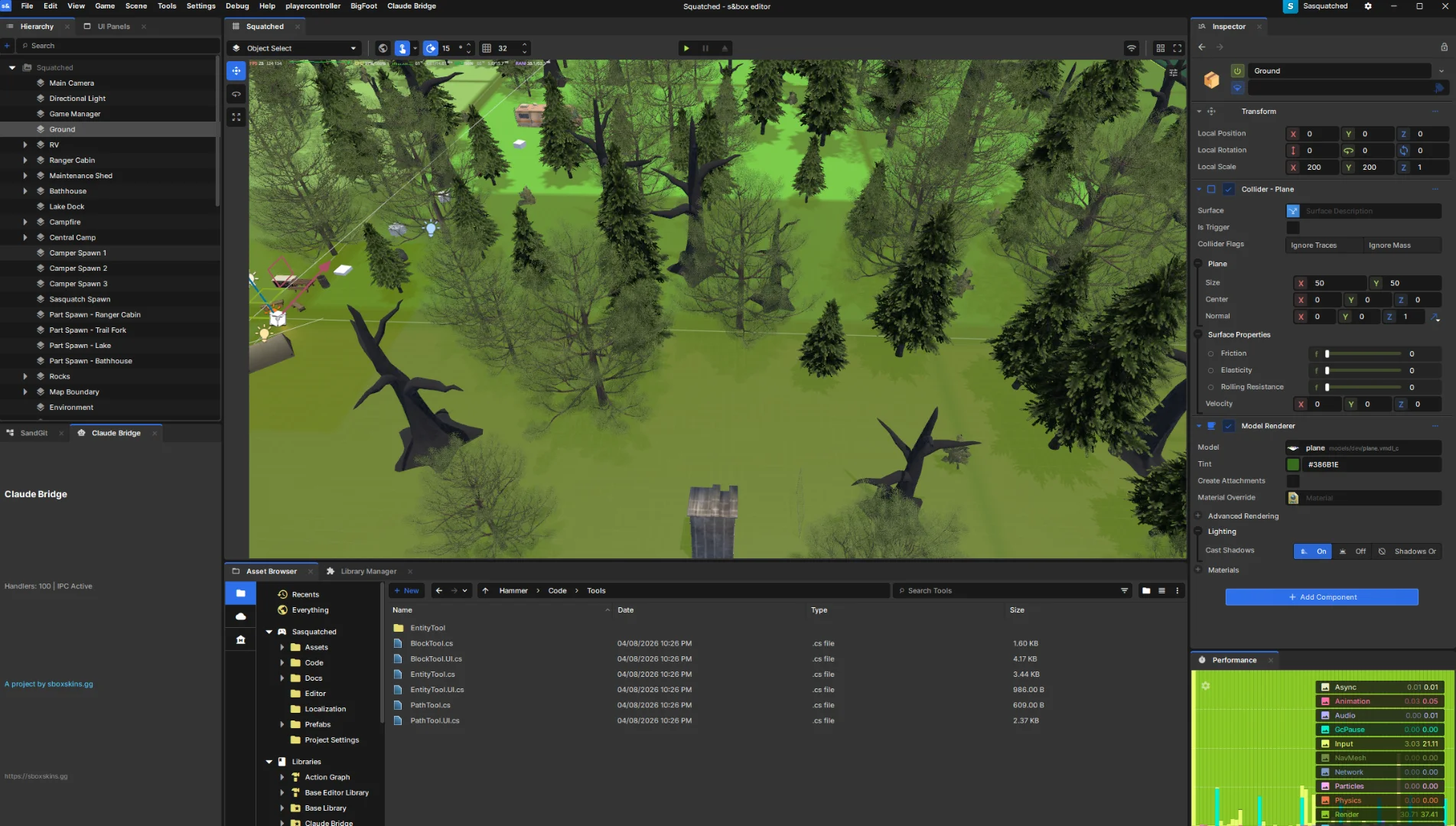
Thumbs Down Reviews
Not sure if downvotes are because people hate AI, (understandable) or because it wasn't working for them.
Read Full Article
arrow_forward
Updates
Bridge Updates!
Read Full Article
arrow_forward
3
Total Users
5
Total Sessions
5 min
Total Playtime
0 recorded entries
| Rank | Player | Score | Recorded |
|---|---|---|---|
|
refresh
Discovering package leaderboards...
|
|||
Package ID:
sboxskinsgg.claudebridge
Created:
2026-04-10 13:37 UTC
Updated:
2026-09-17 12:13 UTC
Type:
library
Public:
Yes
Version:
382152
files:
82
Size:
2.1 MB
Engine Version:
29
Asset Version ID:
382152
Version Created:
2026-09-17 12:13 UTC
Hash:
1791472139
Manifest: Open manifest
more_horiz Additional Properties
Summary:
Claude builds s&box game systems through 273 native editor tools, visual verification workflows, and code-grounded recipes
Public:
true
Tags:
ai,claude,mcp,tool,editor,bridge,automation,code-generation,terrain,worldgen,stable
Compiler:
{"RootNamespace":"Sandbox","DefineConstants":"SANDBOX","NoWarn":"1701;1702;1591;","WarningsAsErrors":"","TreatWarningsAsErrors":false,"Nullables":false,"ReleaseMode":"Debug","AssemblyReferences":[],"ReplacementDirectives":{".Server.cs":"SERVER"},"IgnoreFolders":[],"DistinctAssemblyReferences":[]}
Major Toolset and Native MCP Update
Jul 9, 2026
Added
- s&box Claude Bridge v2.0.0 "Native" — the editor is now an AI-agent workspace
- The s&box editor ships a native MCP server now — on by default, loopback-only, port 7269. So the Claude Bridge stops being a stack of file-IPC scripts and becomes what it was always meant to be: a structured automation platform living inside the editor. v2.0.0 moves the bridge's full tool surface onto that native transport — 232 tools across 28 described toolsets (53 of them read-only), streamed over HTTP instead of polled off disk.
- What that buys you, concretely:
- Claude sees what it builds. take_screenshot, capture_view, screenshot_from, and screenshot_orbit return the PNG inline in the tool result. No temp-file path to read back — the image is right there, so the build → screenshot → fix loop actually closes.
- Agents discover tools live. search_tools finds the right one; list_toolsets / describe_toolset browse the 28 groups; call_tool / call_tools run them (batch several in one round trip). No 200-tool flat list to scroll.
- Checkpoint the scene, then take risks. checkpoint_scene snapshots every root object to temp storage; restore_checkpoint rolls it all back. Batch-retint 40 props with a dry-run first, hate the result, roll back — this is the agent-side undo (live-verified resurrecting a 317-root scene).
- Real prefabs, real batch ops. create_prefab writes full serialization and instantiate_prefab truly rebuilds the tree with GUID remap. batch_set_property / batch_delete / batch_add_component all validate with dryRun: true before they touch anything.
- Drive a car, run a playtest. create_vehicle_controller turns any rigidbody prop into a raycast car with a built-in driver seat; tune_vehicle applies arcade / drift / offroad / race presets. The playtest harness runs a scripted loop in play mode and asserts the result in-frame.
- No Node.js on the main path. The editor hosts the server. Node is only needed for the optional lifeline — a slim diagnostics server that keeps answering logs and compile errors when the editor crashes and takes the native server down with it.
- Tool names are unchanged from v1.x; upgrading is one command plus an addon update. Six tools whose names collided with native built-ins (spawn_model, list_scenes, save_scene, undo, redo, remove_component) now defer to Facepunch's identical implementations — your workflows keep the same names.
- Connect: claude mcp add --transport http sbox http://127.0.0.1:7269/mcp
- Or install the Claude Code plugin (wires both servers plus the cookbook brain, specialist agent, and screenshot workflow): /plugin marketplace add LouSputthole/Sbox-Claude → /plugin install sbox-claude
- Source-available (no redistribution). Built by sboxskins.gg. Full docs: sboxskins.gg/claudebridge
Improved
- The s&box Claude Bridge is a source-available editor automation platform for s&box. Its 232 tools run natively inside the editor via s&box's built-in MCP server, so an AI agent can create GameObjects, write and hotload C#, compose scenes, wire networking and UI, and — crucially — screenshot what it built and look at it. v2.0.0 "Native" adds scene checkpoints, real prefabs, dry-run batch edits, drivable vehicles, and a play-mode playtest harness.
July Update
Jul 2, 2026
Added
- v1.18.0 — Change Notes (2026-07-02)
- +5 tools — same-week support for s&box's brand-new LipSync component, plus the four remaining Tier-1 community-demand scaffolds. 206 tools / 197 handlers (was 201/192). Additive — no existing tool contract changed. All five live-verified (handlers compiled first try; every scaffold's generated code compile-verified in the game assembly + TypeLibrary-load-confirmed; add_lipsync wiring property-verified on a live citizen).
- Added — new engine feature support
- - add_lipsync — wire up Sandbox.LipSync, the component Facepunch shipped 2026-07-01 (the lipsync/viseme Sound Editor update): drives a SkinnedModelRenderer's facial morphs from a playing sound. One call adds LipSync, wires the renderer (same GameObject or rendererId), and optionally binds audio — an existing sound component, or a new SoundPointComponent loaded from a .sound path — plus morphScale / morphSmoothTime tuning. Morphs animate at runtime while the sound plays (verify in play mode via capture_view).
- Added — community-demand scaffolds (the Tier-1 backlog, complete)
- Mined demand from the 51-game corpus; with these four, every Tier-1 item has shipped.
- - create_round_state_machine (5× demand — the top ask) — the full state-machine beyond create_round_phase_machine: a sealed manager singleton ([Sync(SyncFlags.FromHost)] StateIndex, index-wrap advancing, CanEnter() skip) driving an abstract RoundState base (Begin/Tick/OnTimeUp/Finish lifecycle, per-state [Sync] TimeUntil) plus N sealed named-state stubs that auto-attach on start. Transitions announce via a static event + [Rpc.Broadcast] mirror with per-index dedupe (never double-fires; the [Sync] index is the late-joiner reconcile).
- - add_interaction_station — a one-occupant IPressable station (crafting bench / shop till / arcade cabinet): occupancy held as a [Sync(FromHost)] Guid (GameObjects aren't [Sync]-able), client Press() routed host-side via [Rpc.Host], a reservation grace window for the last user, an optional unlock-level gate via a static ResolveUserLevel hook, and a static OnStationOpened event to open your overlay UI.
- - create_event_director — a generalized L4D-style pacing director: interval roll (host-only), cumulative-weight pick over EventPrefabs + parallel Weights, active-set dedupe, MaxActive cap, and a generated *TimedEvent companion so every spawned event self-destructs after EventLifetime. RollInterval() is the documented adaptive-pacing extension point.
- - create_save_slots — the multi-slot companion to create_save_system: a saveslots.json manifest (per-slot Used/Name/SavedAtUnix/PlaytimeSeconds — the slot-picker read) + per-slot payload files over FileSystem.Data, versioned POCO with delete-on-version-mismatch, and optional GUID scene reconciliation (tombstone destroyed objects, reposition survivors).
- Docs
- - .claude-plugin/marketplace.json brought current — it had drifted to v1.16.0 / stale counts (it sat outside the parity script's version-lock set; now locked 6-way so it can't recur).
- - Doc-hygiene sweep: INSTALL.md no longer claims the dock must stay open (static frame loop since v1.3.0) or hardcodes a stale handler count; CLAUDE.md's contradictory v1.10.0 handler line removed; stale plan-status notes marked shipped; count style unified on "200+"; npm README tools table backfilled v1.10–v1.17.
- - Engine-watch (researched this release, queued in the backlog): Facepunch merged a local loopback socket for multi-instance testing (2026-07-02 — not in the shipping build yet; a future bridge multiplayer-test harness), and the MovieMaker/sequencer system remains an uncovered tool-family candidate. Upstream reliability fixes relevant to existing tools: nested-prefab apply no longer wipes instances, painted-instance collision fixed, terrain binary data survives copy/paste/undo, malformed-packet server-brick fixed.
s&box Claude Bridge v1.12.0 -- Six New Tools, a CI Gate, and a Whitelist Correction
Jun 10, 2026
Added
- **179 editor handlers. 188 tools total. Two waves of scaffold + lint + asset tools, all verify-gated live against the current SDK.**
June update
Jun 7, 2026
Added
- **The best AI tool for building s&box games just got a knowledge base.** v1.9.0 ships `sbox-cookbook`: a deep, code-grounded library of how real games are actually built — so the AI reaches for proven, shipped patterns instead of guessing.
- If you build s&box games and you talk to an AI to do it, this is the release that changes the math. Not because the model got smarter — because we stopped making it improvise.
- ---
- Here's the honest problem with using *any* AI to write s&box code: the engine moves fast, the API drifts between SDK builds, and a general-purpose model fills the gaps with plausible-sounding nonsense. It'll happily hand you a multiplayer economy that desyncs the moment a second player joins, a save system a client can forge, and a loot table that's "random" in a way players can exploit. It looks right. It compiles. It's wrong in exactly the ways that bite you three weeks later.
Improved
- v1.9.0 fixes that at the root. We built a **massive brain** into the plugin — a skill called `sbox-cookbook` — and we trained it on **real, shipped, open-source s&box games**. The best games in the ecosystem. Not toy samples, not docs paraphrased, not the model's training data: the actual source of games people built and shipped, plus the modern s&box engine source itself.
- Then we distilled what those games do into **code-grounded recipes**. It covers the systems that are genuinely hard to get right:
- - **Inventories** — backpacks, hotbars, stacking, the networked-collection patterns that don't roll back on proxies
- - **Economies & currency** — host-authoritative balances, the request → apply → confirm shape, money as `[Sync(SyncFlags.FromHost)]` so a client can't author its own wallet
- - **Save & persistence** — signed, versioned save files in `FileSystem.Data` that sanitize and clamp on load, because saves outlive your balance changes
- - **Shops & trading** — vendors, prices, trades that re-validate server-side
- - **Gacha & loot** — weighted tables, recharge timers, provably-fair rolls
- - **Progression & prestige** — data-driven balance tables, upgrade and prestige trees
- - **Multiplayer networking & authority** — the single biggest bug class in s&box, handled the way shipped games handle it: ownership gates, `[Rpc.Host]` re-validation, the real netcode patterns
- - **Level design** — modular sets, blockouts, lighting, triggers, spawns
- And on top of the systems, full **genre playbooks** — tycoon/idle, shopkeeper, deathmatch/arena, platformer & obstacle course, survival/horror, card-battler, roleplay, gacha-crawler, and more. Each one tells the AI which systems to compose, in what build order, and how the real games actually wired them together — with source it can point to.
- Every recipe is grounded in how shipped games do it. That's the whole pitch. When you ask the plugin to "build me a tycoon" or "add a trading shop" or "make the loot drops feel fair," it isn't pattern-matching against a half-remembered tutorial. It's reaching for the same architecture that's already running in production s&box games. **Proven patterns instead of hallucinations.**
- ---
- A brain that only writes code is half a tool. The other half is being able to *look* at what got built and confirm it's correct — and v1.9.0 gives the AI eyes for that too.
- Six new inspection and validation tools (**166 total now, up from 160**) mean the AI can SEE and VERIFY, not just write:
- - **`inspect_networked_object`** — dump exactly what an object replicates over the network, plus every component's `[Sync]` fields with their flags and live values. No more guessing what's actually synced.
- - **`networking_lint`** — a static scan for the multiplayer footguns that cause silent desync and exploits: money/health/score declared as plain `[Sync]`, unguarded mutators, `[Rpc.Host]` methods that never re-check the caller. The AI can now catch its own authority bugs before you ever hit play.
- - **`scene_validate`** — flags scene-setup mistakes: no camera, stray root rigidbodies, trigger-vs-trace mismatches.
- - **`save_inspect`** — list, read, and diff the project's save files, so persistence bugs are visible instead of mysterious.
- - **`services_query`** — read live `Sandbox.Services` stats and leaderboards.
- - **`simulate_input`** — drive named input actions during play, so the AI can actually exercise what it built.
- Pair these with the screenshot-driven workflow the plugin already ships, and you get a loop that's closer to how a careful human works: write it, inspect what it produced, lint it for the classic mistakes, watch it run.
- ---
- Recipes are only as good as the API they assume. So before shipping, we **reflected the live SDK** and confirmed every API the cookbook and the generated C# rely on against the *current* engine — not stale training data. And the bridge keeps doing this at build time: the live editor reflection (`describe_type`, `search_types`, `get_method_signature`) is always the authoritative signature check for *your* installed SDK. If a recipe ever disagrees with what's actually installed, reflection wins.
- ---
- The brain lives in the **Claude Code plugin** — and that's the way to run this. The bare MCP server gives you the tools; the plugin gives you the tools *plus* the brain: the `sbox-cookbook` knowledge base, a specialist agent tuned to build games with the bridge, the screenshot-driven build workflow, and first-run onboarding. The recipes and the tuned agent are the difference between an AI that improvises and one that builds real games.
- Install the plugin:
- ```
- /plugin marketplace add LouSputthole/Sbox-Claude
- /plugin install sbox-claude
- ```
- Then restart Claude Code. Open your s&box project, connect the bridge, and ask it to build something real.
- The model didn't get smarter this release. It got **experienced.** Go build something.
June Update
Jun 2, 2026
Added
- Claude Bridge v1.4.0 — Scene Authoring Update
- +32 tools (99 → 131). The bridge can now compose whole scenes, not just poke one object at a time.
- - 🎨 Lighting & atmosphere — lights, fog, post-FX, skybox, reflection probes + one-call mood presets (horror-night,
- foggy-dawn, warm-interior, overcast)
- - 🧍 Characters — spawn & dress Citizens, pose them, equip props to bones, look-at/gaze, ragdolls, facial expressions
- - 🧱 Scene layout — snap-to-ground, align, distribute, grid-duplicate, measure
- - 🌲 Environment — scatter props (seeded + ground-snapped), randomize transforms, group objects
- - 🔍 Object utilities — find by name/component/tag; bulk tint / replace-model / set-tags
- - ⚙️ Experimental — particle/VFX tools (compile but render unverified through the bridge)
Apr 27, 2026
Live API Passthrough & Removal Notice
This file manifest and asset metadata are retrieved live directly from the official Facepunch s&box public API. s&box Explorer does not host, store, or redistribute any package files. All download links route directly to Facepunch CDN servers.