Supershot
LibraryTake better Screenshots inside the editor with Discord WebHook Support!

thumb_up
9
open_in_new
View on sbox.game
Supershot
[1.3.0] - 2026-06-27
Added
- Added a proper Home tab for quick capture actions, recent shots, output settings, and shortcuts into the main tools.
- Added a redesigned Edit tab with a larger canvas, layer controls, recent shots, and direct text/image layer positioning.
- Added a redesigned Discord tab for picking a saved shot, previewing the post, testing webhooks, and posting to channels.
- Added support for including or hiding game UI and widgets in captures.
Changed
- Renamed the old Menu tab to Home.
- Improved the editor preview quality so captures and previews look sharper.
- Reworked recent shots so saved images are easier to find and reopen.
- Simplified Discord posting to use plain messages with image attachments.
- Moved screenshot selection on the Discord tab into a recent-shots picker.
- Cleaned up the app layout so each tab has more room and the default view is no longer split awkwardly.
Removed
- Removed the separate Filters tab. Editing and image adjustments now live in the editor workflow.
- Removed Discord rich embed settings and per-channel custom message modes to keep posting simpler.
What it does
Capture
- Capture a shot right from the editor camera, or select a camera source inside the editor.
- Resolutions from 1K up to 8K, plus square, portrait, ultrawide, cinematic 21:9, the three sbox.game thumbnail sizes (512x512, 910x512, 512x910), or a custom width/height.
- Super sampling renders bigger and scales down for cleaner edges.
- Transparent background (PNG) for cut-out artwork.
- Hide UI and hide objects by tag so they stay out of the shot.
- Capture delay to set up the view before the picture is taken.
- Engine post-FX at capture time (bloom, depth of field, tonemapping, and more).
Edit
- A built-in photo editor with undo/redo and a before/after toggle (nothing is baked in until you save):
- Color: brightness, contrast, saturation, exposure, hue shift, and filter presets (Warm, Cool, Vintage, Cinematic, Black & White, High Contrast).
- Detail: sharpen and blur.
- Effects: vignette and film grain.
- Transform: rotate and flip.
- Frame: solid border with adjustable size and color.
- Watermark: custom text with anchor, size, and color.
Preview
- Live preview of the Editor Cam (or whatever Camera you have in preferences) with the current edits applied.
- Rule-of-thirds guides and a before/after compare button.
- Turn the live preview off to save performance.
Gallery
- Keeps the shots from your session plus the existing images in your output folder.
- Reload, re-edit, save, or delete any shot. Deleting also removes the file from disk.
Save & share
- Save as PNG, JPG, or WebP with a customizable filename template (tokens like
{scene},{project},{date},{counter}). - Files go to a folder named after your project under Pictures by default, or any folder you choose.
- Post to Discord through channel webhooks (see Posting to Discord below).
- Upload to the s&box art page: saves the shot, copies its path to your clipboard, and opens the Steam upload page so you can paste it in.
How to use it
- Open the Studio from the editor menu bar (Supershot > Editor), the Supershot Studio app in the editor app launcher, or the Supershot scene-view tool.
- Frame your shot. Move the editor scene view (or turn on the Supershot scene tool), or switch the source to the scene's main camera in the Capture tab.
- Press Capture. Adjust the result in the Edit tab, check the Preview, then Save or Post to Discord.
Quick capture (without opening the Studio Editor)
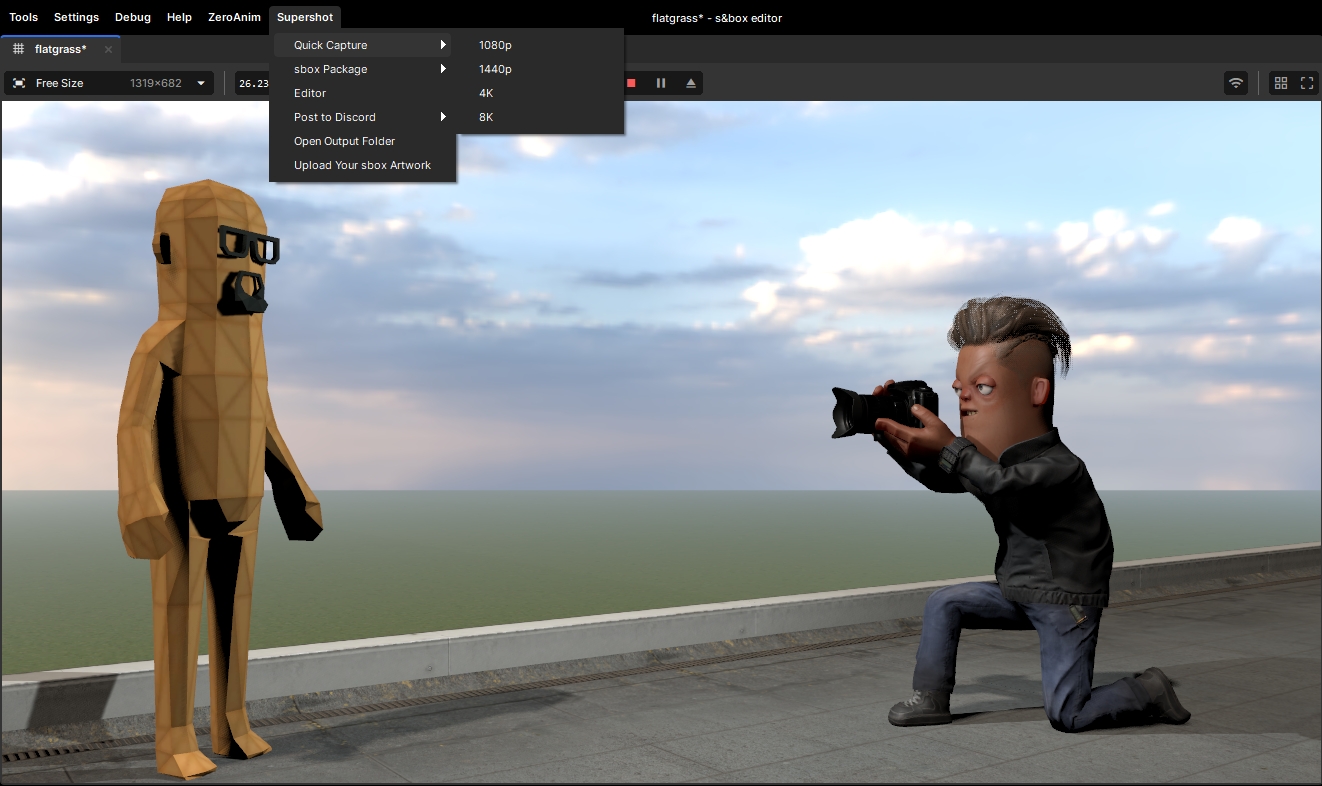
- Supershot > Quick Capture for an instant 1080p / 1440p / 4K / 8K save.
- Supershot > s&box Package for the Square / Wide / Tall store thumbnails, or Capture All Three at once.
- The Supershot scene tool also has overlay buttons for quick captures and capture-and-post to your Discord channels.
Settings
- Configure your Discord channels, output folder, file format, and filename template in the Studio's Discord and Settings tabs.
Built-in presets
- Ready-made presets are included for common targets: Discord Art, Steam 4K, and the three s&box package thumbnail sizes.
Posting to Discord
Super Shot can send your screenshots straight to Discord through channel webhooks — no manual saving and uploading.
- Set up channels. Add one or more channels in the Discord tab, each with a name and a webhook URL (in Discord: Channel Settings > Integrations > Webhooks). Mark the ones you use most as favorites.
- Post or capture-and-post. Send the current shot, or capture and post in a single click — to one channel or to all of them at once.
- Pick what each channel gets. A channel can use the shared message, its own custom message, or no message at all, and you can choose whether it's included when you "post to all".
- Customize the message. Write text (Discord markdown works), override the bot's display name and avatar, and optionally wrap the image in a rich embed with a title, description, accent color, footer, and timestamp.
- Post from anywhere. Use the Discord tab, the Preview toolbar's Post to All button, the Supershot > Post to Discord editor menu, or the scene tool's capture-and-post buttons.
Made by the SubZero Studios team:
Credits
Made by the SubZero Studios team.



Lead Design
Gameplay Programming
Gameplay Programming
Interface & HUD
No usage statistics available
This package may be new or not widely used yet. Usage data becomes available as more users install and play with the package.
This package may be new or not widely used yet. Usage data becomes available as more users install and play with the package.
0 recorded entries
| Rank | Player | Score | Recorded |
|---|---|---|---|
|
refresh
Discovering package leaderboards...
|
|||
Package ID:
subzerostudios.supershot
Created:
2026-01-25 10:33 UTC
Updated:
2026-07-21 02:34 UTC
Type:
library
Public:
Yes
Version:
312740
files:
37
Size:
0.2 MB
Engine Version:
28
Asset Version ID:
312740
Version Created:
2026-07-21 02:34 UTC
Hash:
1791471074
Manifest: Open manifest
more_horiz Additional Properties
Compiler:
{"RootNamespace":"Sandbox","DefineConstants":"SANDBOX","NoWarn":"1701;1702;1591;","WarningsAsErrors":"","TreatWarningsAsErrors":false,"Nullables":false,"ReleaseMode":"Release","AssemblyReferences":[],"ReplacementDirectives":{".Server.cs":"SERVER"},"IgnoreFolders":[],"DistinctAssemblyReferences":[]}
312740
Jul 21, 2026
Changes on 2026-07-21
301923
Jun 27, 2026
Changes on 2026-06-27
293766
Jun 24, 2026
Changes on 2026-06-24
146319
Jan 29, 2026
Changes on 2026-01-29
144813
Jan 26, 2026
Changes on 2026-01-26
144541
Jan 25, 2026
Changes on 2026-01-25
Live API Passthrough & Removal Notice
This file manifest and asset metadata are retrieved live directly from the official Facepunch s&box public API. s&box Explorer does not host, store, or redistribute any package files. All download links route directly to Facepunch CDN servers.