December 2025 Update: Due to changes to the terrain and various other systems in s&box, this library most likely doesn't work anymore without some serious updates. If you'd like to update it yourself you can find the source code at https://github.com/JamesWilko/sbox-procedural-biomes-tool
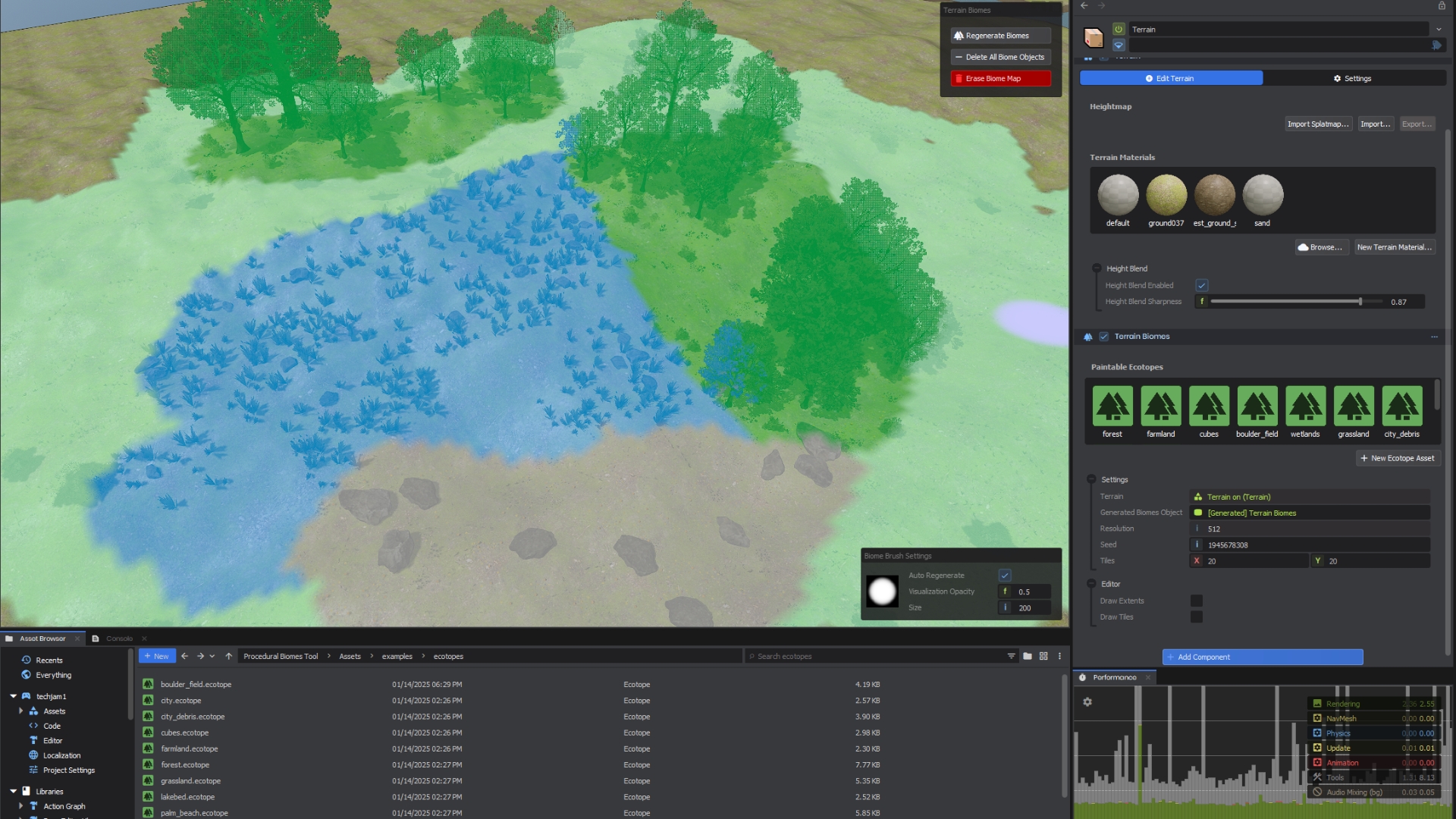
Quickly and easily create entire natural landscapes by painting them directly onto your terrain.
The Procedural Biomes Tool helps you to create natural landscapes at lightning speed. Design your ecotopes using a simple, hierarchical rules system and paint them directly into the scene.
Add your own rules by extending the built in types and change up the generation as you see fit. By extending the EcotopeLayerRule and EcotopeGlobalRule classes you can modify any object as its generated in the scene to create all sorts of realistic or weird and wonderful worlds.
Add the library to your project* and load up the Showcase scene in the examples included with the library to see what you can do! You can find our example ecotopes in the library Assets/examples/ folder.
*You might want to restart the editor after opening the scene just in case the cloud materials don't refresh correctly.
Getting Started
Got some terrain you want to add biomes to? Great!
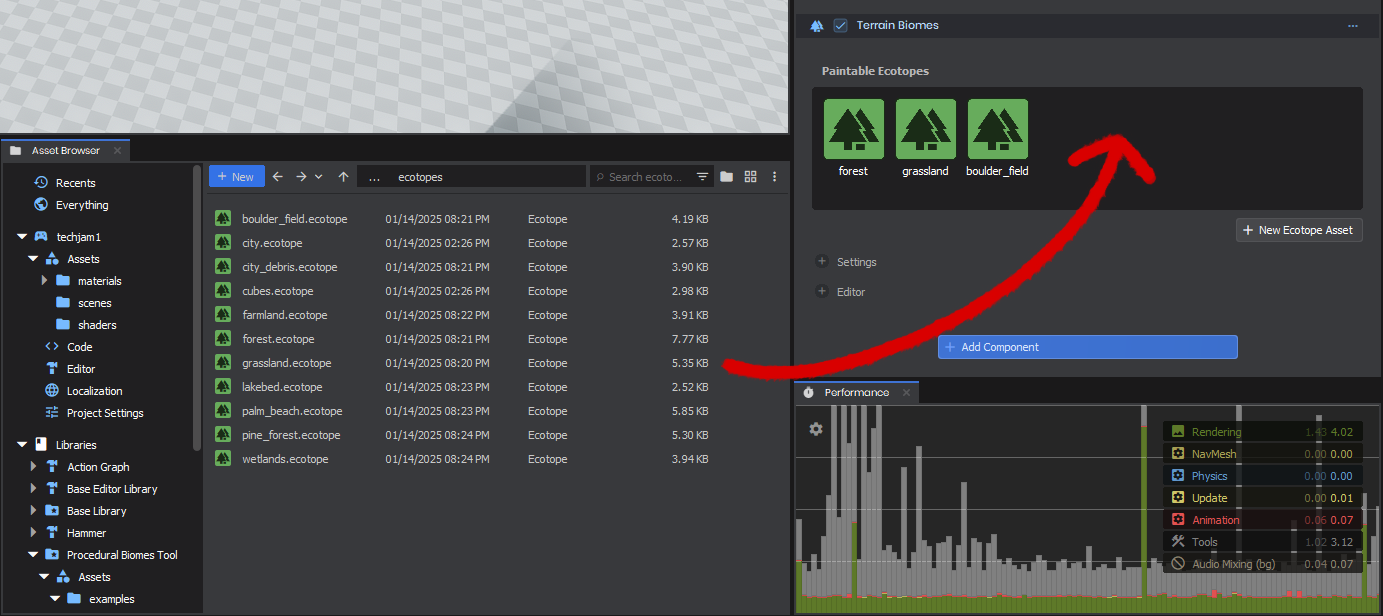
Create your terrain, and on the same object add the Terrain Biomes component. From there simply drag and drop some ecotopes into the component to be able to start painting them on to the landscape. You can find the Biome tool in the tools bar up top right next to the terrain tool. image.png241.62 KB To create your own ecotopes and unique areas, you'll need to setup your assets first. Start by creating an Ecotope Asset, you can find it in the New/World/ section of the create menu.
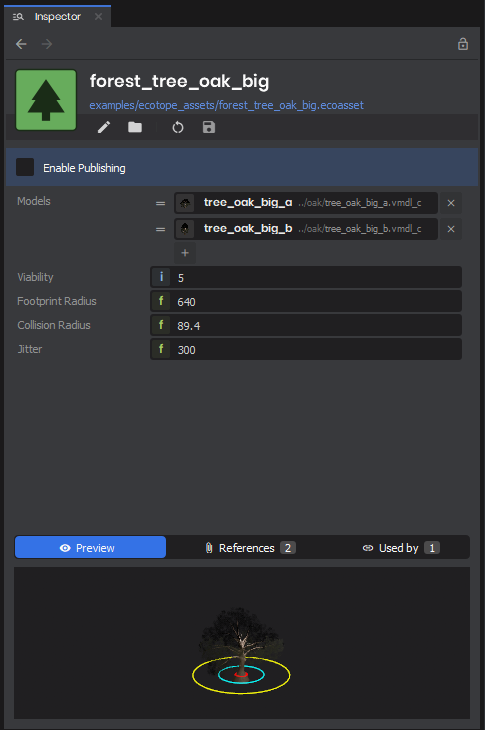
These tell the biomes system how to generate the object. You'll need to add a model (cloud models work too!) and fill out a few small fields, but there's a handy visual inspector for you. Hover over each field to see what it's used for and play around with them to see how they effect the generation. image.png57.42 KB After you've created your assets, you're ready to create an Ecotope proper. These are in the same menu as before, under New/World/.
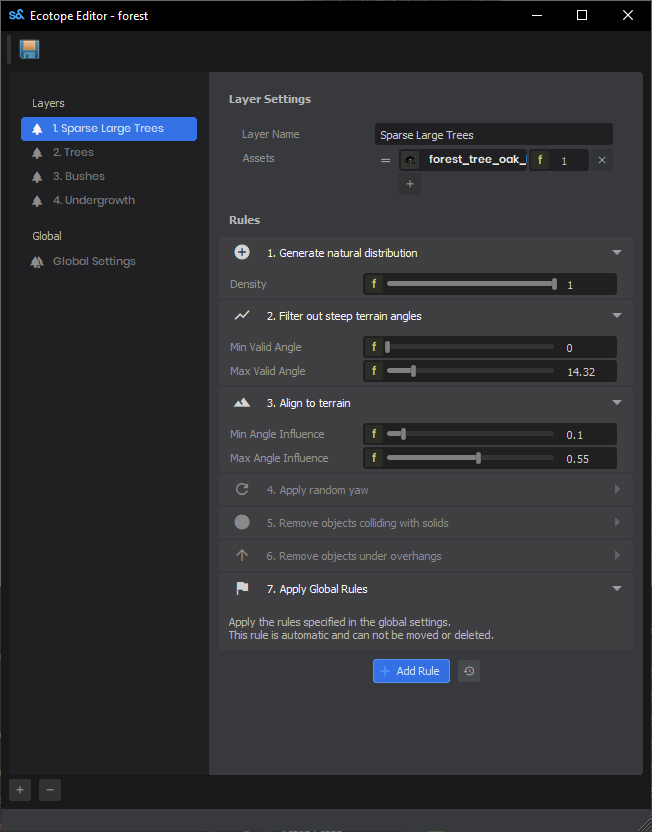
To get started here, click the + in the bottom of the editor to add a layer, and add one of the assets you've created to the layer's assets array. Save the ecotope, select the biomes tool, and paint it into the scene to see how it's generated!image.png48.37 KBEcotopes are hierarchical, for us it means they go from top to bottom. Layers that come first in the ecotope have priority generation, so you want to place your biggest objects first to make sure they have space to be created. Then you can fill in the details between them by creating layers that add those smaller details.
Each layer has a set of rules, these tell the system how to spawn your assets in the world. Like the layers, they go in order from top to bottom. There are many built-in rules to use to help generate natural areas, but you can always add your own with code.
This file manifest and asset metadata are retrieved live directly from the official Facepunch s&box public API.
s&box Explorer does not host, store, or redistribute any package files. All download links route directly to Facepunch CDN servers.
visibility_off
Manifest Hidden Upon Request
The file manifest for dhi.proceduralbiomestool has been hidden from public display upon verified request by the creator or copyright holder under our DMCA & Content Privacy policy.
If you are the creator and wish to adjust this status, contact [email protected].
folder_off
No Manifest Available
File manifest data is currently not available for this package.
inventory_2
0Total Files
hard_drive
0 MBUncompressed Size
terminal
-Engine Version
search
Showing 0 of 0 files
File Path
Size
CRC / Hash
Download
shield
Request Manifest Withholding
Open a pre-addressed removal request to [email protected] with package details pre-filled: