One of the few big question marks we had with Sandbox Mode was how addons would work. Would it even be possible? Would it be horrible? Would you have to pre-install addons like in Garry's Mod?
So this month I looked into that. I wanted to make it so you could open the spawnmenu and create an entity from the cloud, without pre-installing, or restarting. And after some hard work and refactoring.. it works just fine.. like you'd expect.0901.mp427.73 MBHere you can see we're spawning a prefab from the workshop, which has a particle system that is controlled by custom code.
This is the kind of powerful UGC system that has huge, huge potential. I can't even imagine the things that are going to be possible in Sandbox Mode with this.. but it's exactly the kind of thing that I love.. being able to jump in and see what people have made possible.
It's early days. I'll write some docs up this month to allow people to jump in and start experimenting with making Sents and Sweps and Npcs and Vehicles and whatever else they can come up with.
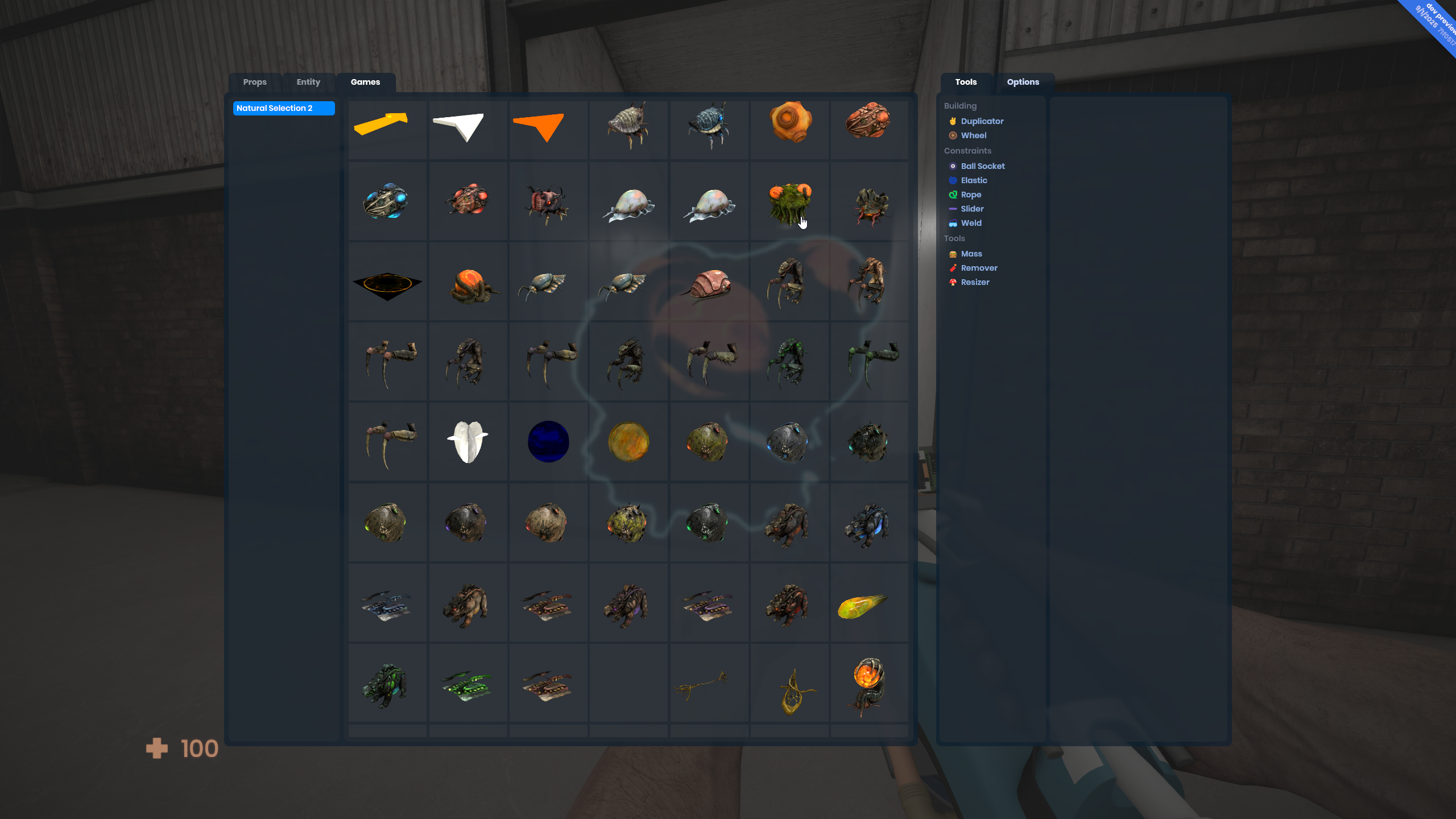
You can now spawn assets from supported games you have installed in the Sandbox mode. There's no categories or real discovery here yet, but you get nice thumbnails.image.png2.75 MBThe Natural Selection 2 mount has been shipped. This is a good addition because unlike Quake, it has ragdolls. If you own the game, you'll now be able to spawn all of their models in Sandbox by installing it.sbox-dev_gJBVsGUXi9.png2.6 MBWe're aiming to ship 1 or 2 mounts per month, we have a pretty long list of games we'd like to mount.
This month we decided to get rid of the cloud browser tab and roll it into the main asset browser, as well as separating out things like mounts to help make sure that people know what's available to them.
Resources can now be embedded, removing the need for a separate asset. With the new decals and the upcoming sprites system, this has been a clear improvement.cropped.mp4130.41 KB
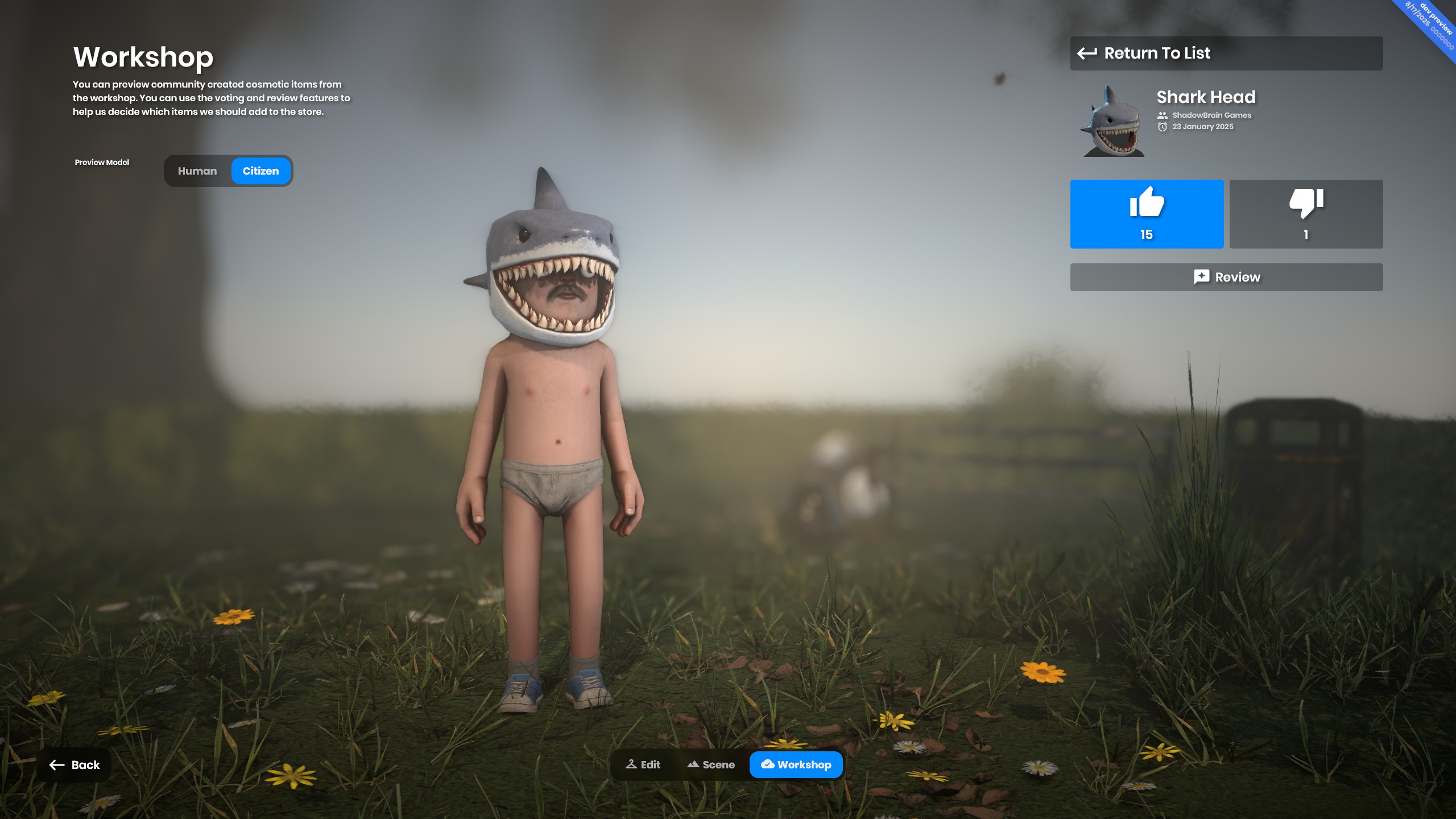
This month, we're accepting our first community-made cosmetic. It's the Shark Head hat by Shadowbrain, and is available in the store. It'll be sold for a month and then removed from the store.image(1).png1.93 MBWe're not sure how frequently we'll accept new community items, or how long they'll live on the store. This is an experiment, and will be experimented with for a while, until we find the right balance between price, store length and revenue share.
You can see all workshop cosmetics on the avatar screen now. You can try them out, rate them and review them.6b43eb4672e1.jpg423.68 KBThe money from these items goes to the author of the item and the Play Fund. So this is a win-win. There are comprehensive guides here on how to make cosmetics and add them to the workshop.
You can now do await Cloud.Load<Model>( ident ), or await Cloud.Load<MyCustomAsset>( ident ) and it will automatically fetch the desired package, and only mount it if the package's primary asset is the same type as the one you are attempting to load, returning the asset once complete.
async void AddRandomClothing()
{
	// Get a completely random ident for clothing
	var cloudIdent = await GetRandomClothingIdent();

	// Get the clothing definition from the ident
	var clothing = await Cloud.Load<Clothing>( cloudIdent );

	// Apply the clothing to the citizen dresser
	CitizenDresser.Clothing.Add( new() { Clothing = clothing } );
	await CitizenDresser.Apply();
}
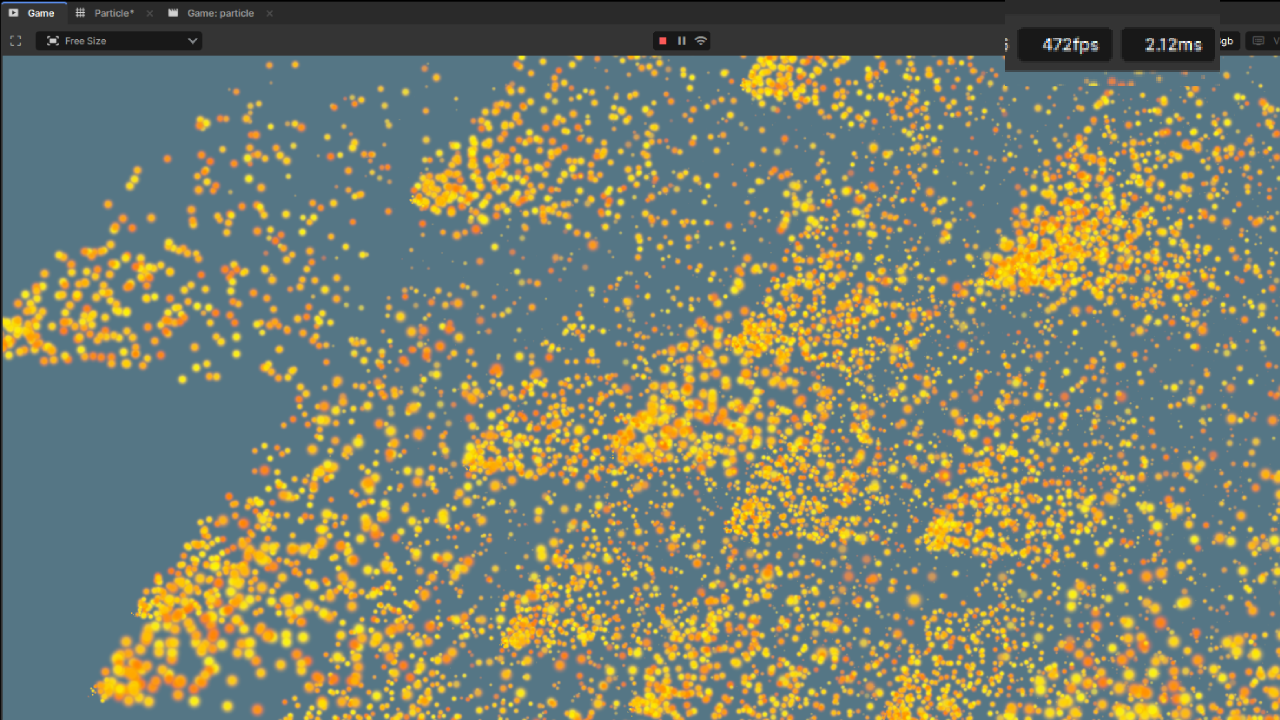
Sprite renderers are now batched, this includes particle sprite renderers. Previously every particle sprite rendered would be it's own individual draw submitted to the GPU — now they are all batched together into a single draw.
This makes it a lot faster, our benchmarks saw a 2x performance increase going from 4.30ms to 2.12ms when rendering 40,000 particles. The remaining overhead is mainly non-rendering related.
Documentation - There was zero documentation for getting started with ShaderGraph, so I wrote up the pages I found to be most important. You can check them out here.
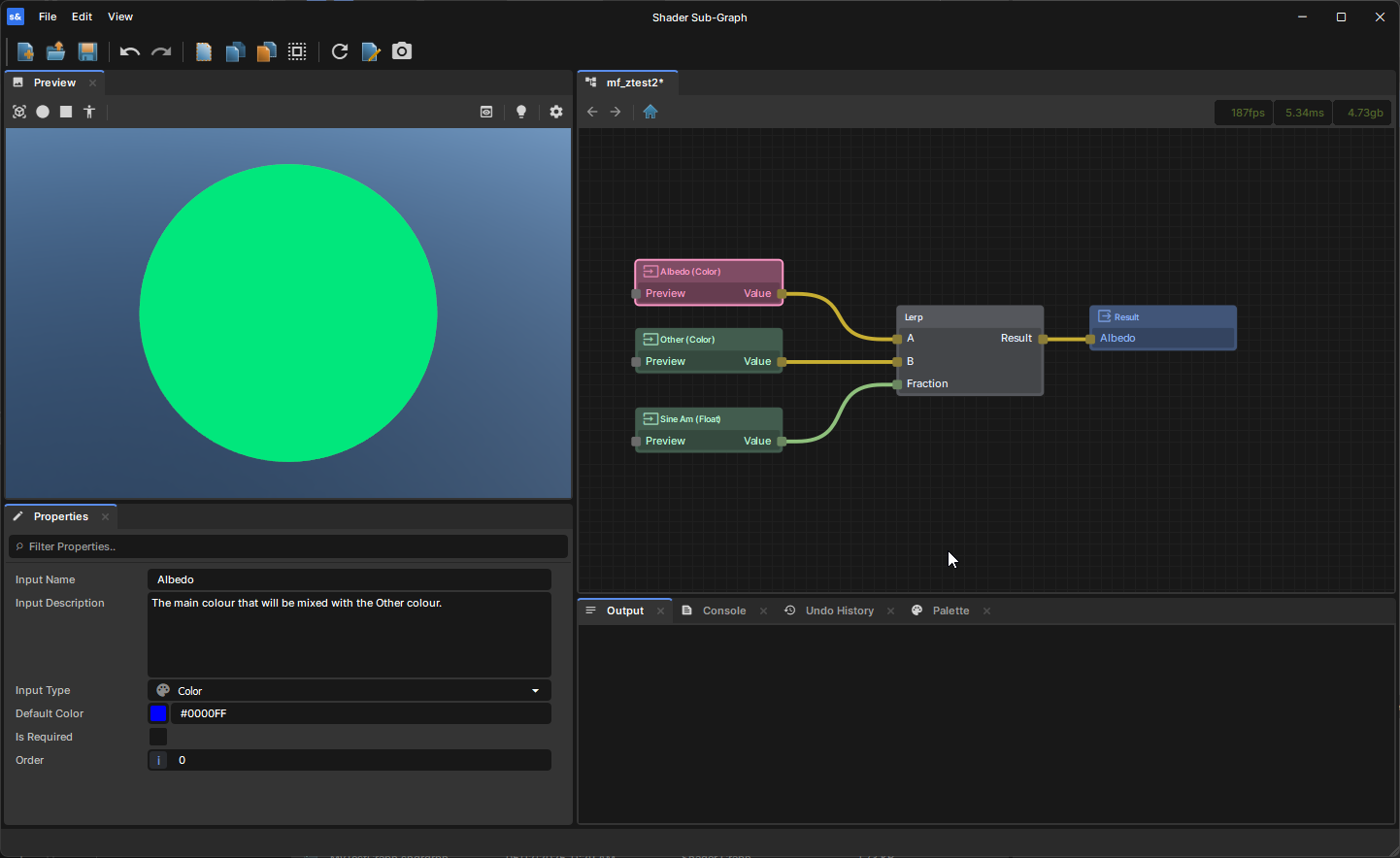
Subgraphs - They now have a dedicated "Subgraph Input" node for defining inputs instead of using Constants, so there's a clear distinction between Material Inputs and Subgraph Inputs. Any existing Subgraphs should be upgraded to use the new nodes automatically.482652860-886ae309-aca0-4937-b059-242a38a157be.png144.43 KB
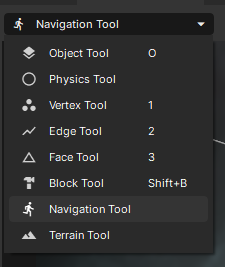
The navigation settings have been moved from the toolbar to a dedicated Navigation tool.image.png11.26 KB
The settings have been moved into a sub-tool, which contains the same options as the previous toolbar menu, along with a new Navigation Testing tool. This tool allows you to visualize and test your navigation mesh and navigation links interactively. You can select a starting position and a target position to see the calculated path.
A green path indicates that the target was successfully reached.
A yellow path means only a partial path was found.
A red path indicates that no valid path could be found.
We found that at high player counts, processing time for building and sending delta snapshots for networked objects - including any Sync Vars they have - would be really high.
I spent a lot of time profiling and optimizing this path, bringing frame times down significantly. Previously with 30 players and a lot of networked objects, we'd see upwards of 30-40ms. After these optimizations, I've managed to reduce that by nearly 60%.
Previously you could only Network Refresh an entire networked object - this would serialize the entire hierarchy and send it to clients, which would then create any missing children and components.
I've added new overloads to Network.Refresh to let you pass in a GameObject or Component that exists in the hierarchy - this will send only that descendant/component and create or destroy it for other clients appropriately.
Notable Changes
When joining a server, it used to make you download the latest version of the game - this could cause various issues and conflicts. Now joining a server will download the exact version of the game that the server is running.
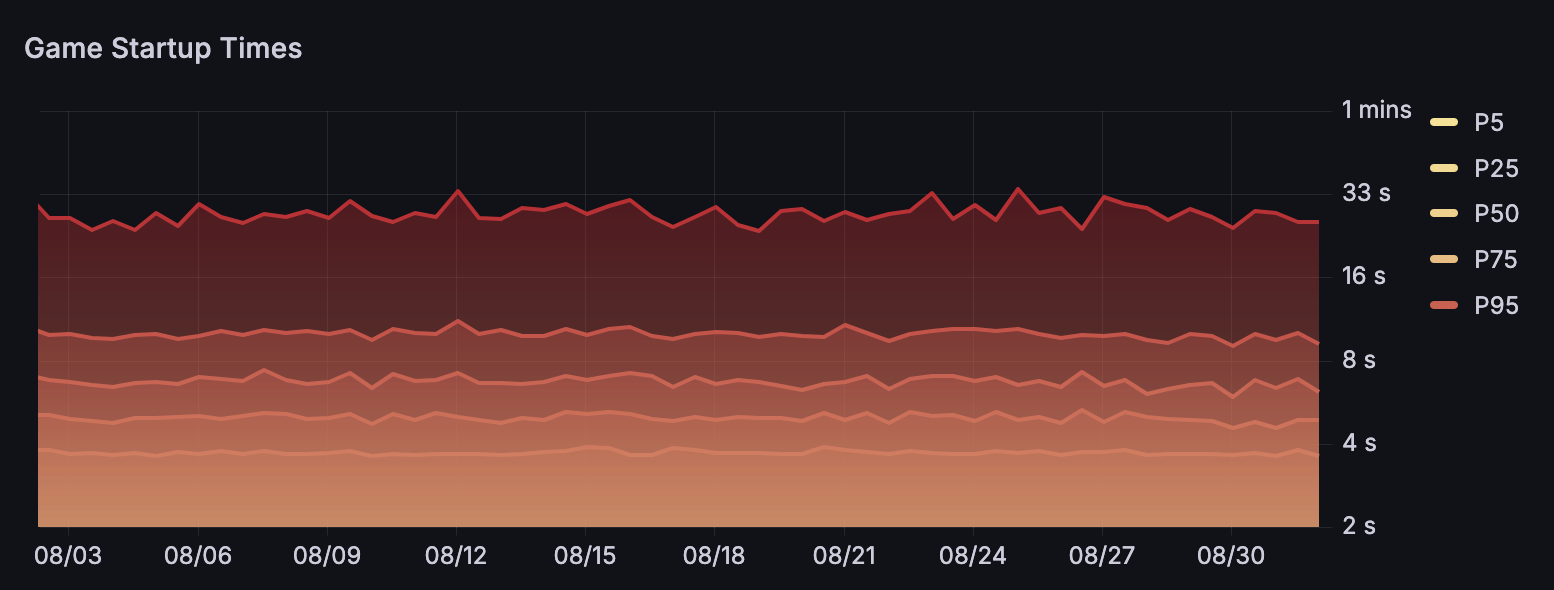
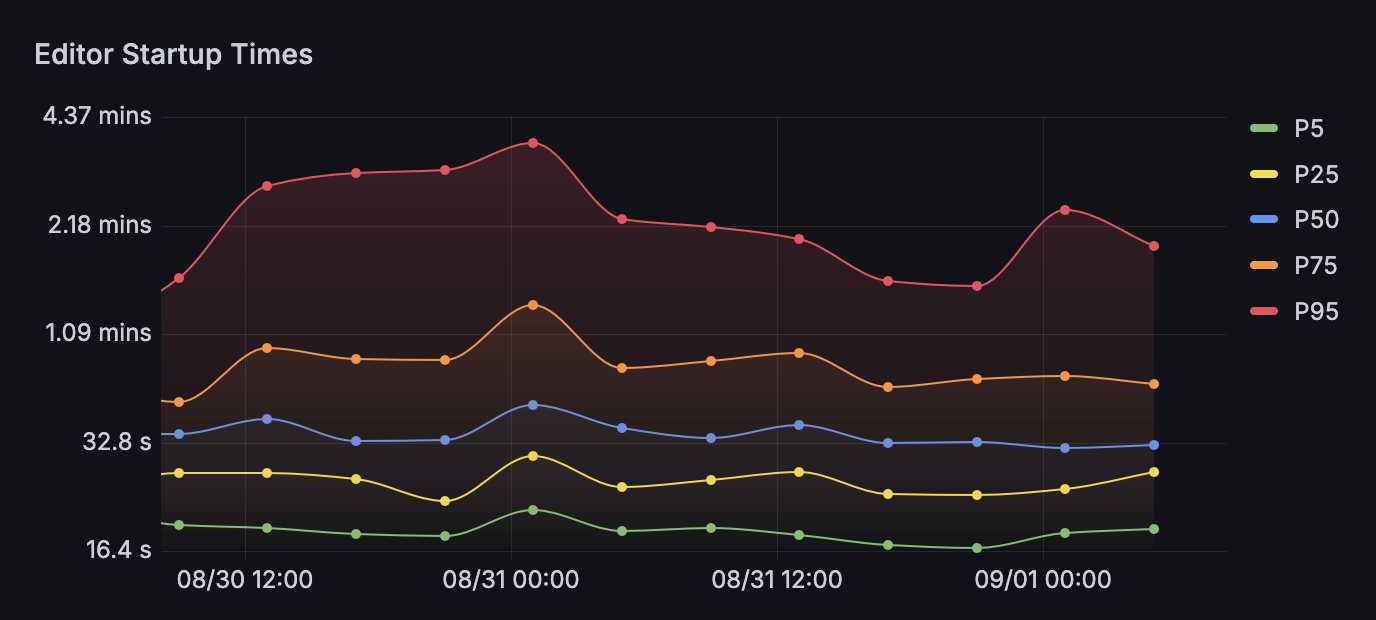
We collect a lot of data to help us improve performance and stability; crashes, startup times, performance, benchmarks and more. We want to publicize this stuff, have it display on sbox.game so not only can the community hold us more to account but also see things improve too.Screenshot 2025-09-01 at 08.04.07.png47.53 KBOur crash rates are probably at an all time worse with at least 3% of sessions crashing. There's a ton of low hanging fruit here I hope we can improve on for the next patch.Screenshot 2025-09-01 at 08.08.19.png111.56 KBThe game client on average takes 5 seconds to start from launch to menu, I'm relatively happy with that.Screenshot 2025-09-01 at 08.17.54.png110.24 KBEditor startup times have been getting abysmal, even our best case scenarios are too long at 20 seconds. We have a good idea of the problems as well as how to solve them.
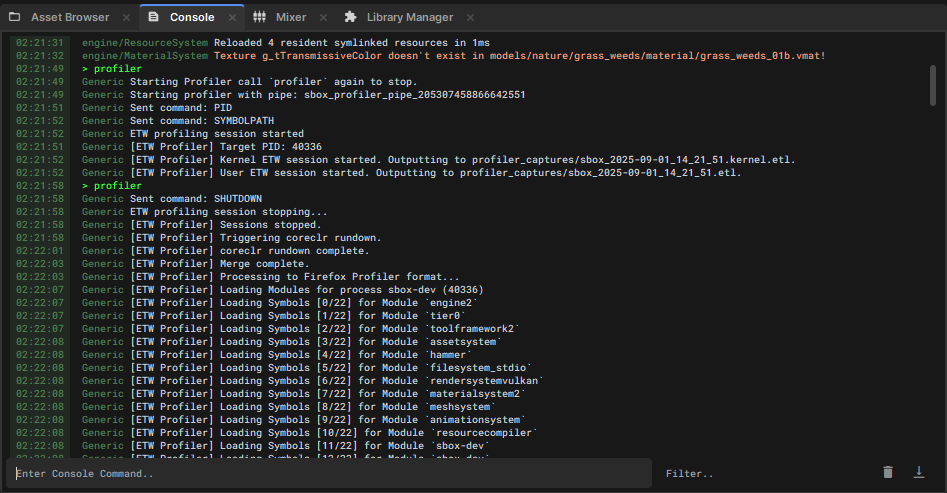
To help identify performance bottlenecks, we started developing in-engine profiling tools. You can start/stop a profiling session by using the profiler console command, both in-editor and in-game.
This means you can record performance data yourself, hold us accountable for any issues and help us solve them by sending us the data.
The profiler outputs two file formats: an .ETL/.ETLX file (compatible with various profiling tools) and a JSON file that can be visualized and shared using Firefox's profiler at https://profiler.firefox.com/.
It's been a slower month with the team taking time off for the summer, as well as a hack week. But we still made some solid progress.
More and more focus is going towards performance and stability now that we have a solid feature set. We know it sucks, we have the data for why it sucks and we're actively working on improving it. The sprite batching is just the start, but it's already greatly improved the performance in games with lots of particles.
Embedded resources are one of my favorite features this month, they unlock a lot of doors required for the next iteration of materials, sprites as well as improving existing experiences with decals and other resources.
Getting the Shark Head in as the first workshop skin is a great milestone for us and the community. The money going to the creators as well as the play fund creators feels great.
Sandbox mode is making huge strides month on month, finally getting addons back feels great as they're such a core experience of Garry's Mod. Mounts are being pulled forward too.
This month we sent out the July 2025 payments. A few people now earned over $2,000 from their games and maps, and in total we paid out just over $24,000.


 devultj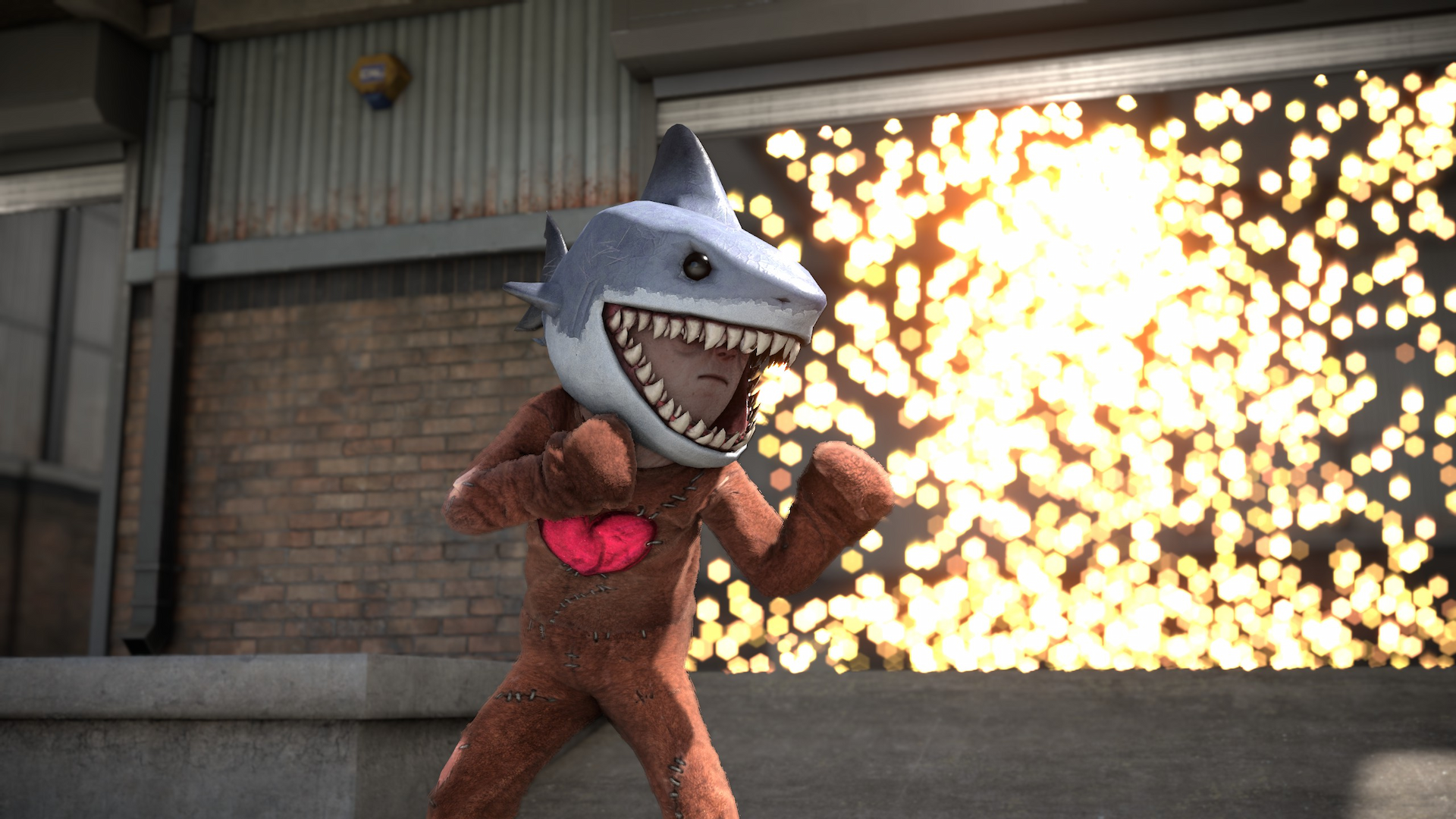
 Carson
 antopilo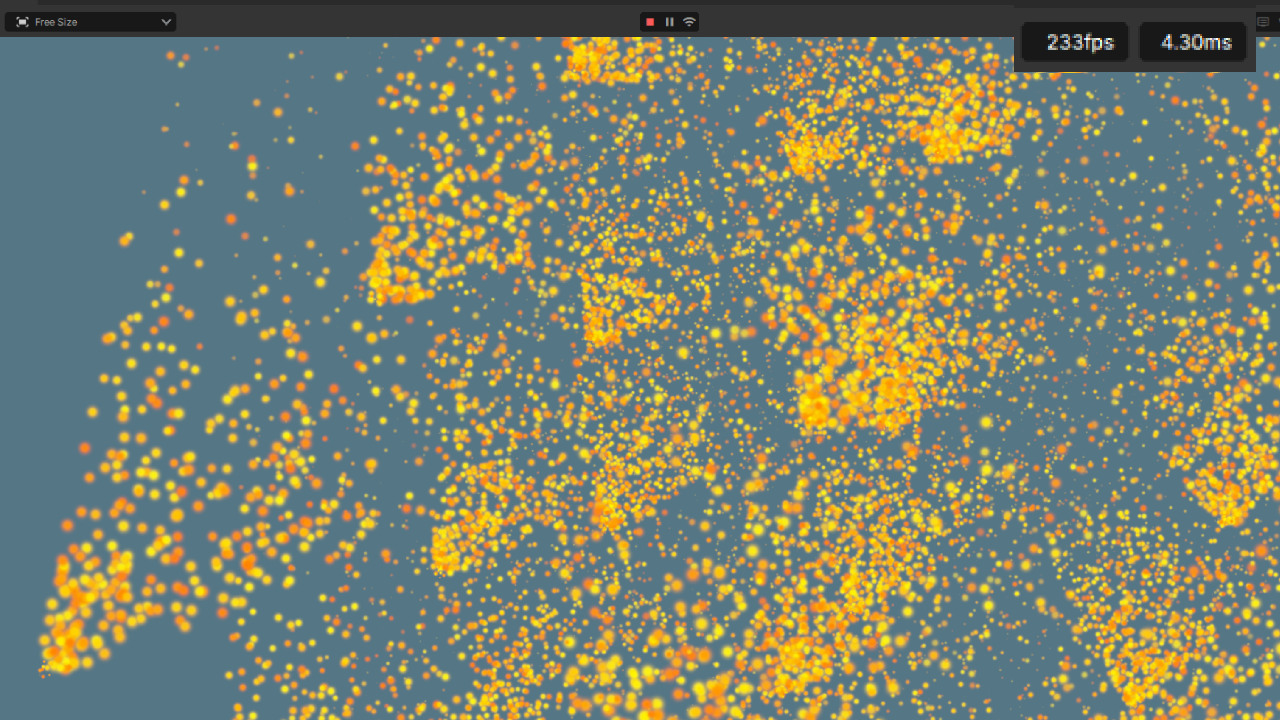
 conna
conna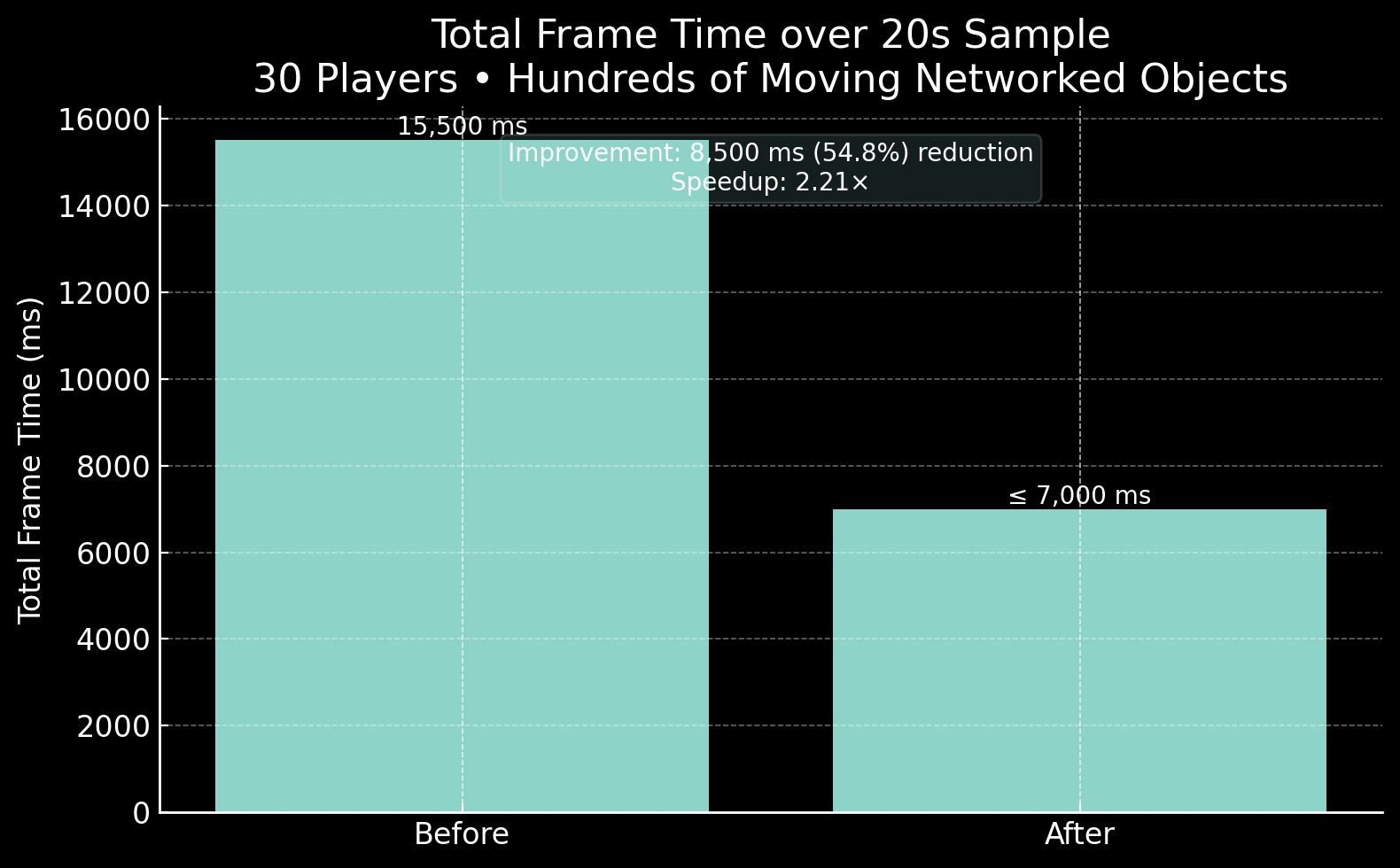

 Lorenz