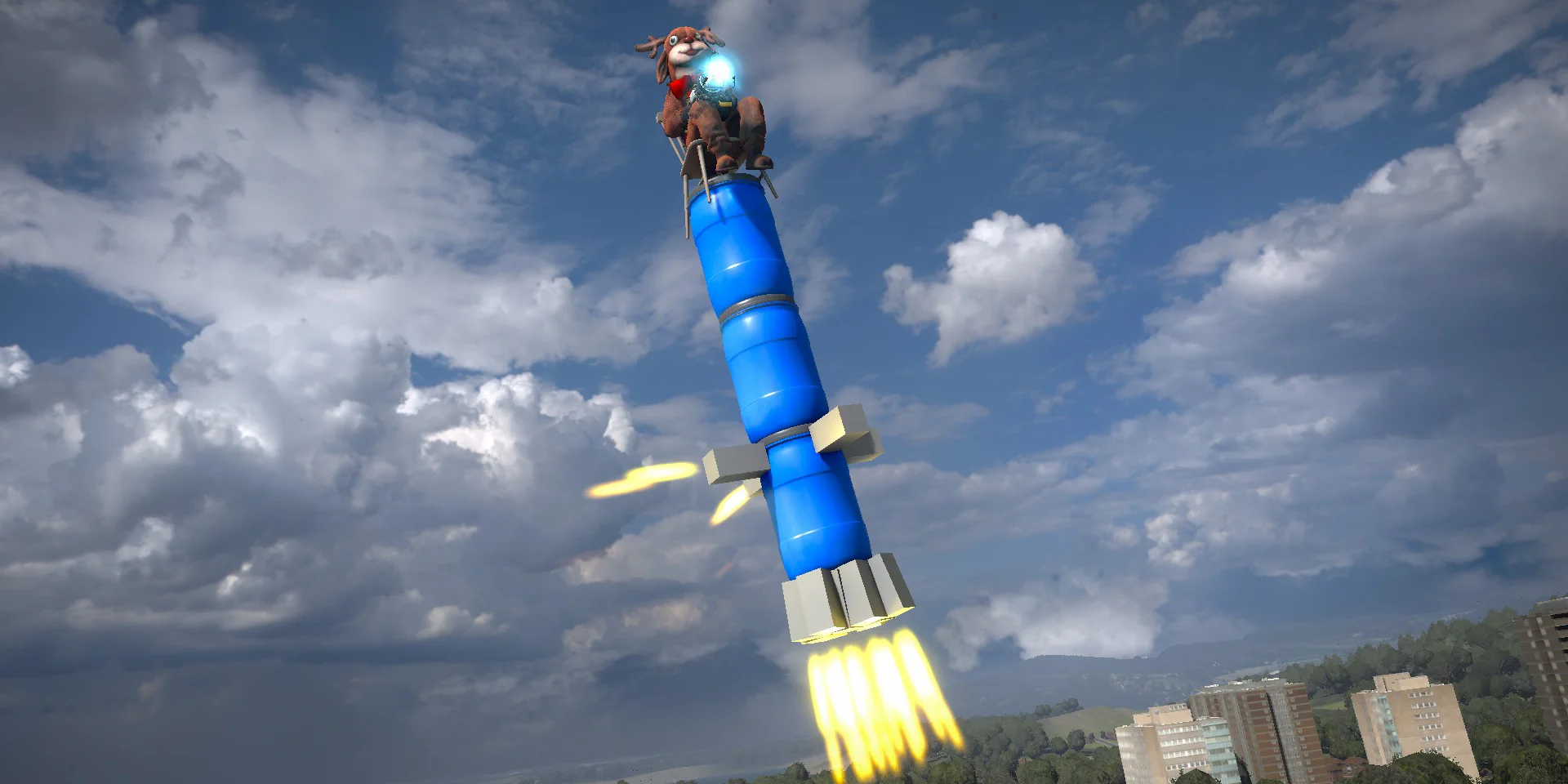
I wanted to provide a bunch of built in entities in Sandbox Mode. I think in GMod things were automatically made into tools, when they didn't need to be. Like lights for example.
In Sandbox Mode we have a bunch of built in entities, and you can use entities from the workshop too in the same way. Here's an example of lights, fog and NPCs being created.
Entities in Sandbox Mode are controllable now. This is early stages, but right now you can bind them to your in game inputs. The controls only work if you're in a chair connected to them somehow.
What this means is that when you make something, anyone can control it. You can duplicate it and you and a friend can control their own copies.This is pretty fun to play with, and I expect it's going to evolve over time.
This greatly simplifies UI like the spawnmenu that needs to show thumbnails for these things.
We also add AssetTypeFlags.IncludeThumbnails. If this is set then when the package is published, any asset types with this flag will include a "[path].c.png" thumbnail image of it.
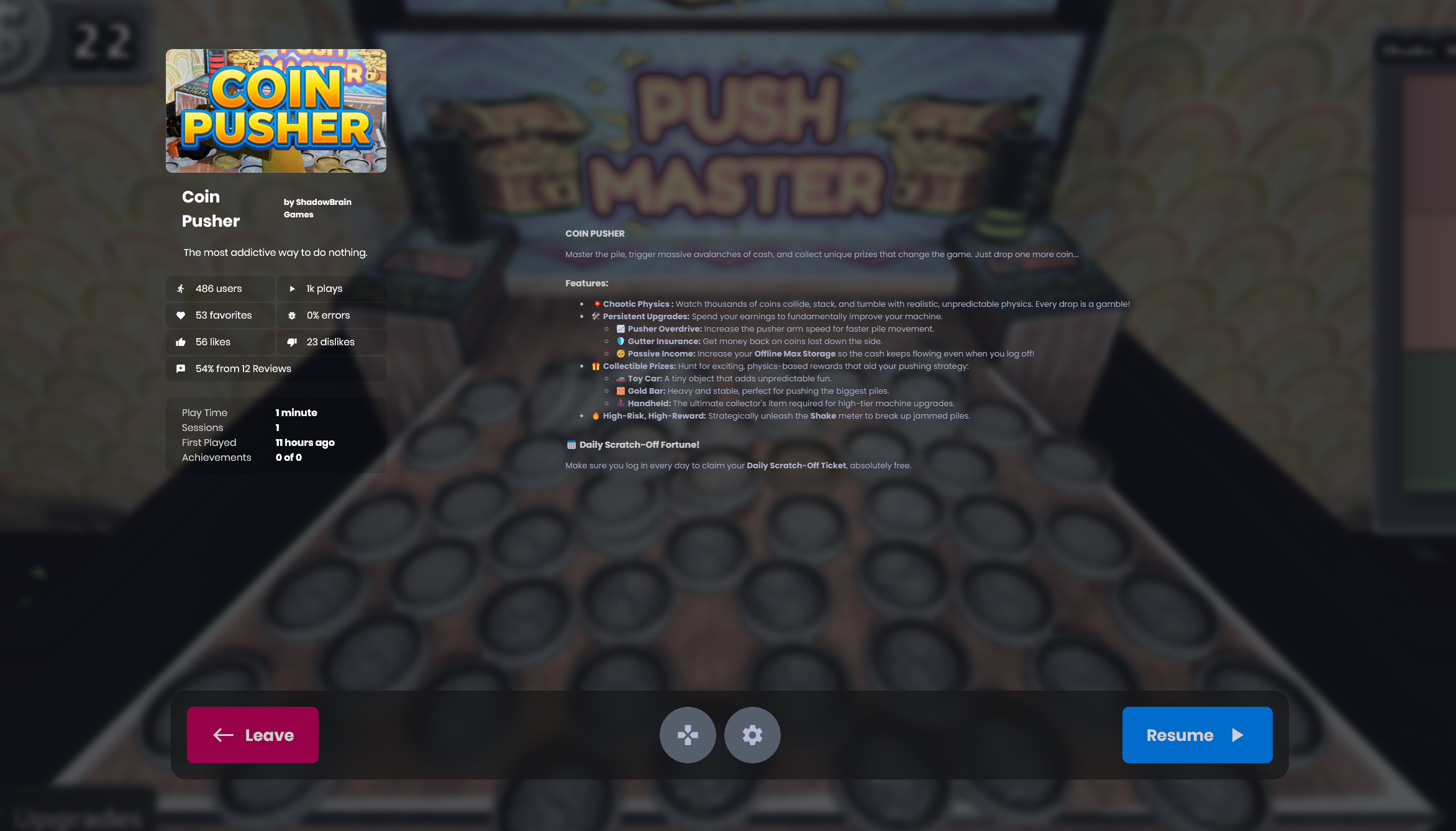
I've sexed up the default pause menu. I really want to encourage all games to want to use the default pause menu, so I'm pushing more useful features to it, showing more stats. This is a basic layout change for now, but the intention is to show achievements, leaderboards, stats, reviews and forums here. image.png2.13 MB
I switched the UI animation system to use doubles instead of floats under the hood.
This fixes a problem where animation would get all laggy and weird if the game had been left open for a few days, and would get progressively worse the longer you left it open.
Switching to doubles here seems like a common sense fix, so I'm going to be looking around trying to do it in more places.
One of the most commonly requested features I get is to be able to disable automatic transform replication for a networked object.
You can now customize which components of a transform get replicated per networked object, or even completely disable it using the new network flags options.
Accessible from either the network options in the inspector, or via GameObject.Network.Flags. Disabling interpolation for networked objects has also been moved to these flags, with the old method being marked as obsolete.NetworkFlags.png25.94 KB
I've added a new property RigidBody.EnhancedCcd as an advanced property. When enabled it enables CCD against other dynamic bodies, this is useful for fast moving physics bullets and rockets which would normally pass through other dynamic bodies.
528131548-29e1419b-15d6-44c1-8469-f7c67e2196cb.mp4638.4 KBText renderer supports font smoothing (this is different to filter mode, filter controls how it's rendered in the world, font smooth controls aliasing on the actual font rendering) image.png133.66 KBGizmos can draw text with text rendering scope so you have more control over how the text rendering looks. 1 px aliased outline effect now looks how you'd expect, the normal way of drawing outlines doesn't support this well.
Clothes are now merged for multiple skeletons in parallel
This drastically improves the performance for clothed characters
Decode cache
We now cache some expensive animation operations between frames
In our testing this showed improvements specifically on older/slower hardware.
Animgraph optimisations
The system fully computes many operations even when their input doesn't change, or is 0+0
Logic was added around the player graph to fully bypass these when we know it's possible
Theoretical performance gain of 20% for characters who are standing still (& are default height)
Measured by animating 1,728 (!) naked characters: 35 → 28ms on an AMD 5800X CPU
In practice, our internal benchmarks show a 10% improvement on average
Overall, you can expect up to 50% faster animation for fully-clothed characters, and smaller gains when naked. 07_11-25-EmbarrassedSchapendoes.png39.29 KB We now also have proper benchmark scenes for animations, so performance should only get better from here.
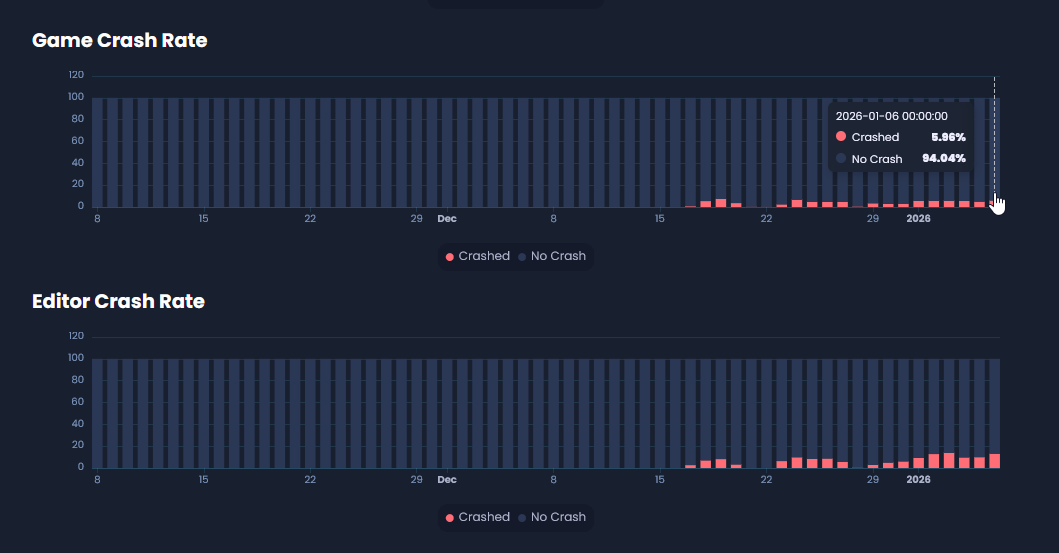
image.png64.01 KBWe changed how we measure crash metrics again, this should be the most reliable since we're tracking when we open the game and calling our own API when we crash.
It's still pretty dog shit, but we know it's accurately dog shit.
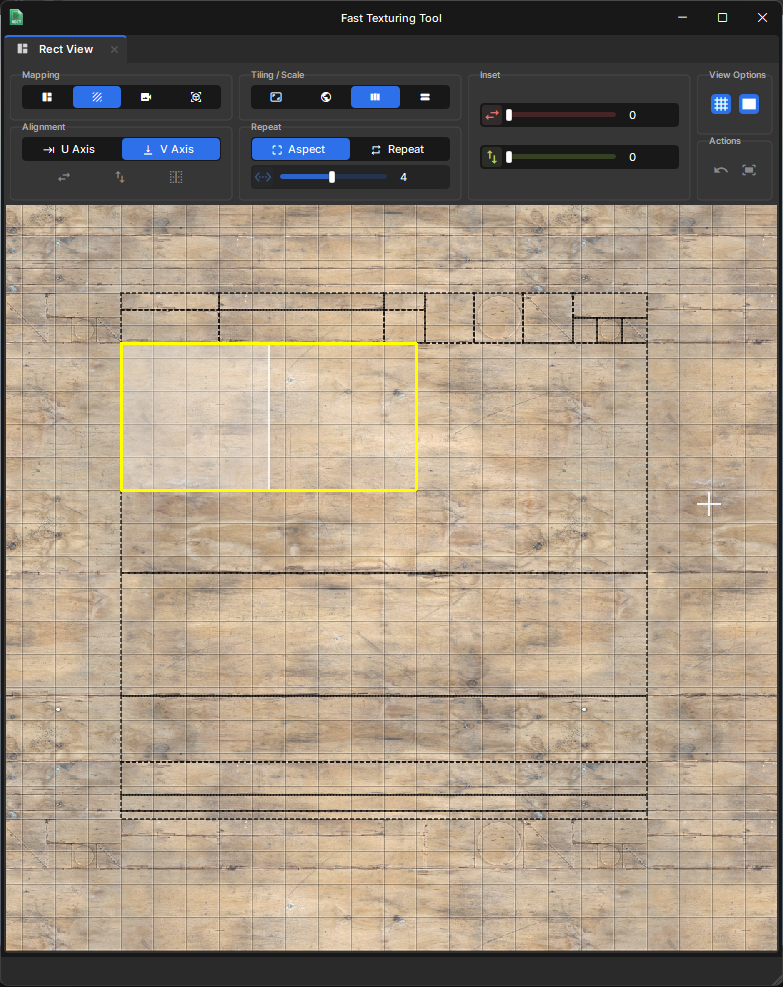
The Pivot Picker was a super handy feature inside hammer but it was kind of hidden away unless you knew what to press, It lets you quickly set the pivot based on your mouse position. I've added it to scene mapping and made it easier to access.sbox-dev_Mee2vqBAa9.mp41.21 MB
Mapping: Fast Texturing Tool Improvementsby bakscratch
We added the Fast Texture Tool to scene mapping but it was pretty basic, So I went in and added a lot of features that mappers will use as well as cleaned up the UI. Features included are.
Support Tiling in the fast texture tool.
Shortcuts.
Escaping out resets to orignal uv.
Unwrap Square and Comform.
World Mapping Scale.
Apply active material when entering fast texturing.
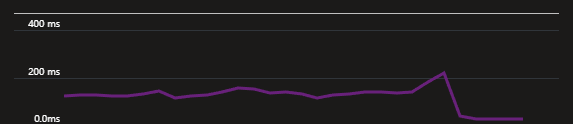
I've optimized the way we store and query leaderboards on the backend. This means they're now way, way faster to query.. and the query results should be instantaneous. This gives me more confidence that our backend will scale up to meet any unexpected demands on release. image.png3.71 KB



 antopilo
 Lorenz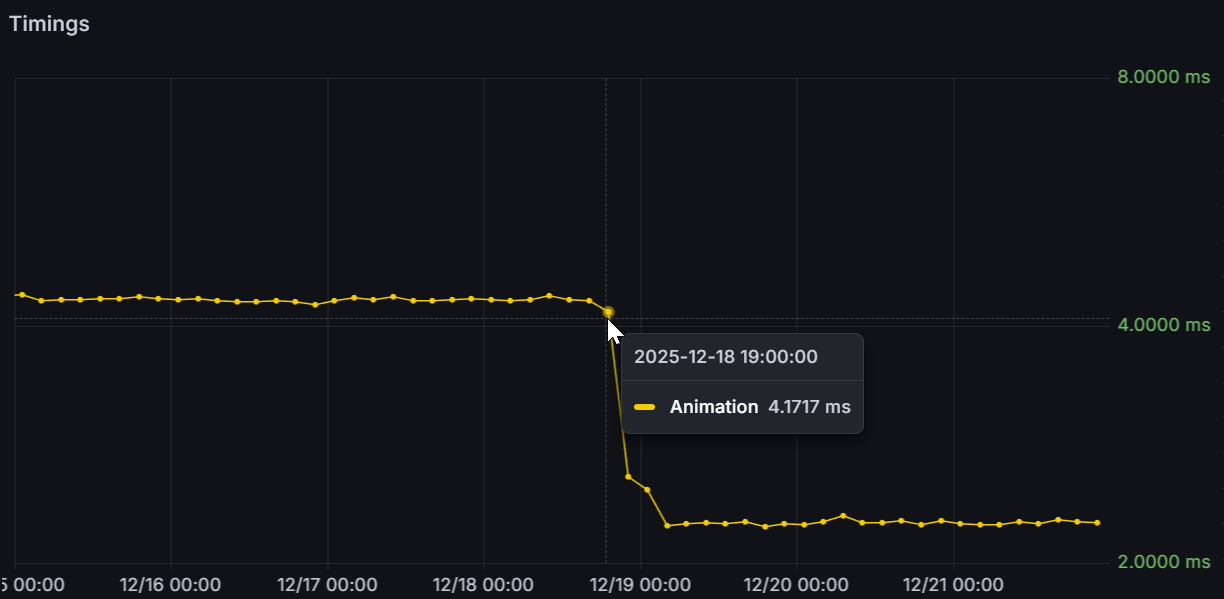
 bakscratch