Neck & Neck
The citizen has a neck now, the game jam finalists are neck & neck, and we've been hunting down bottlenecks.


Game Jam: Final Four
- GAMMA TEAM
- RUN IT AGAIN
- Catz VS Ratz
- Keg Quest
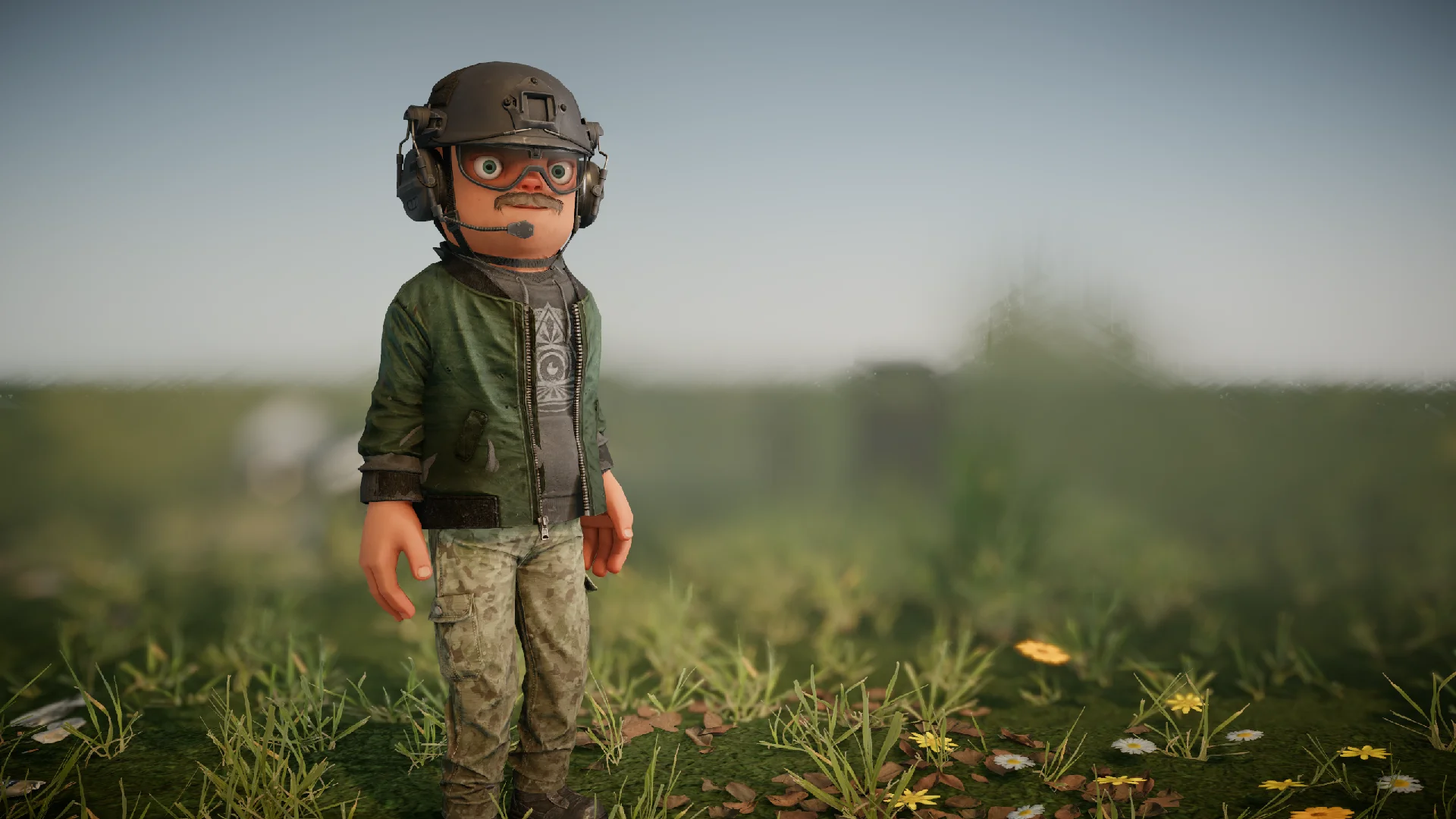
Citizen 2.0by garry
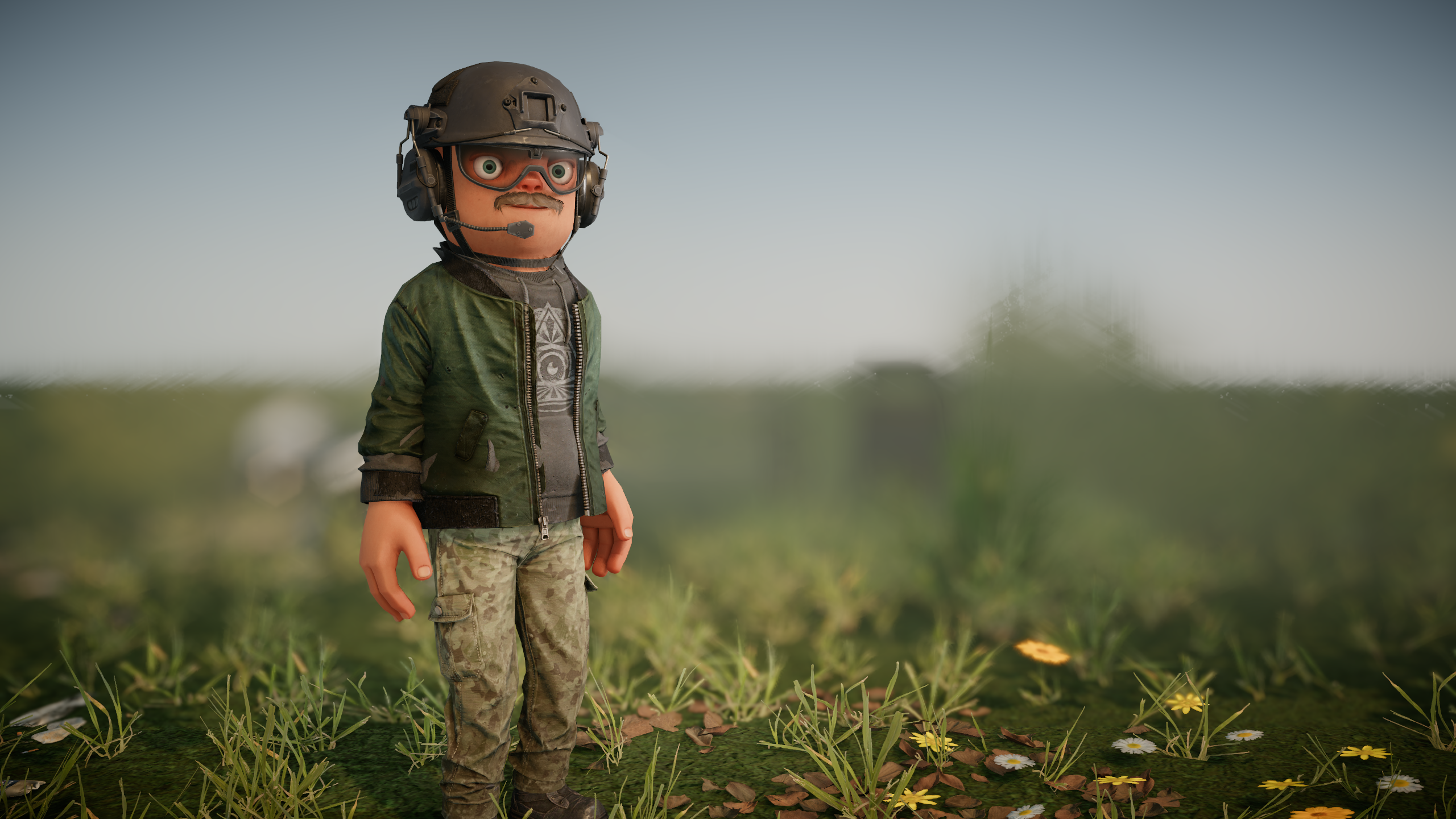
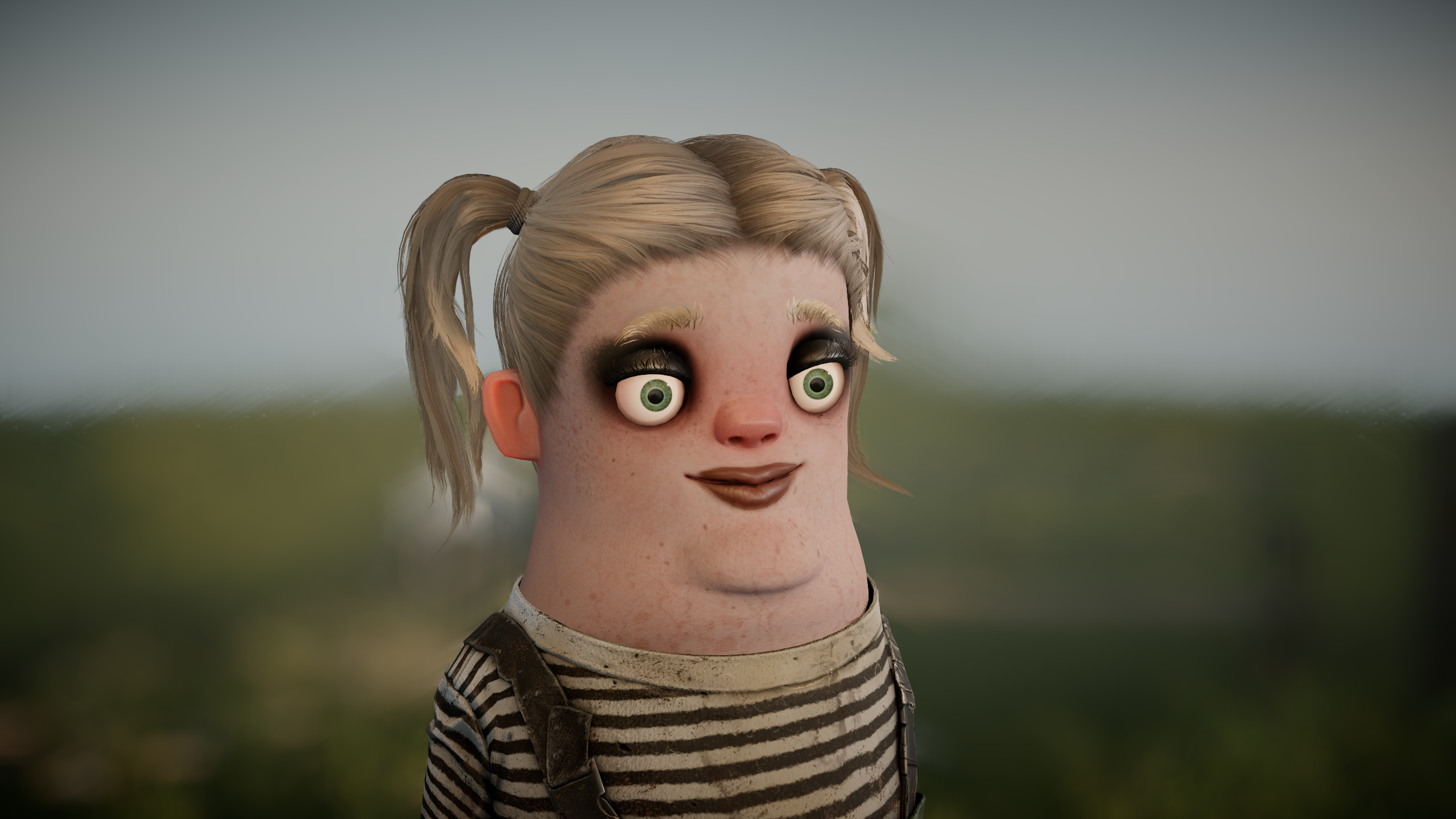
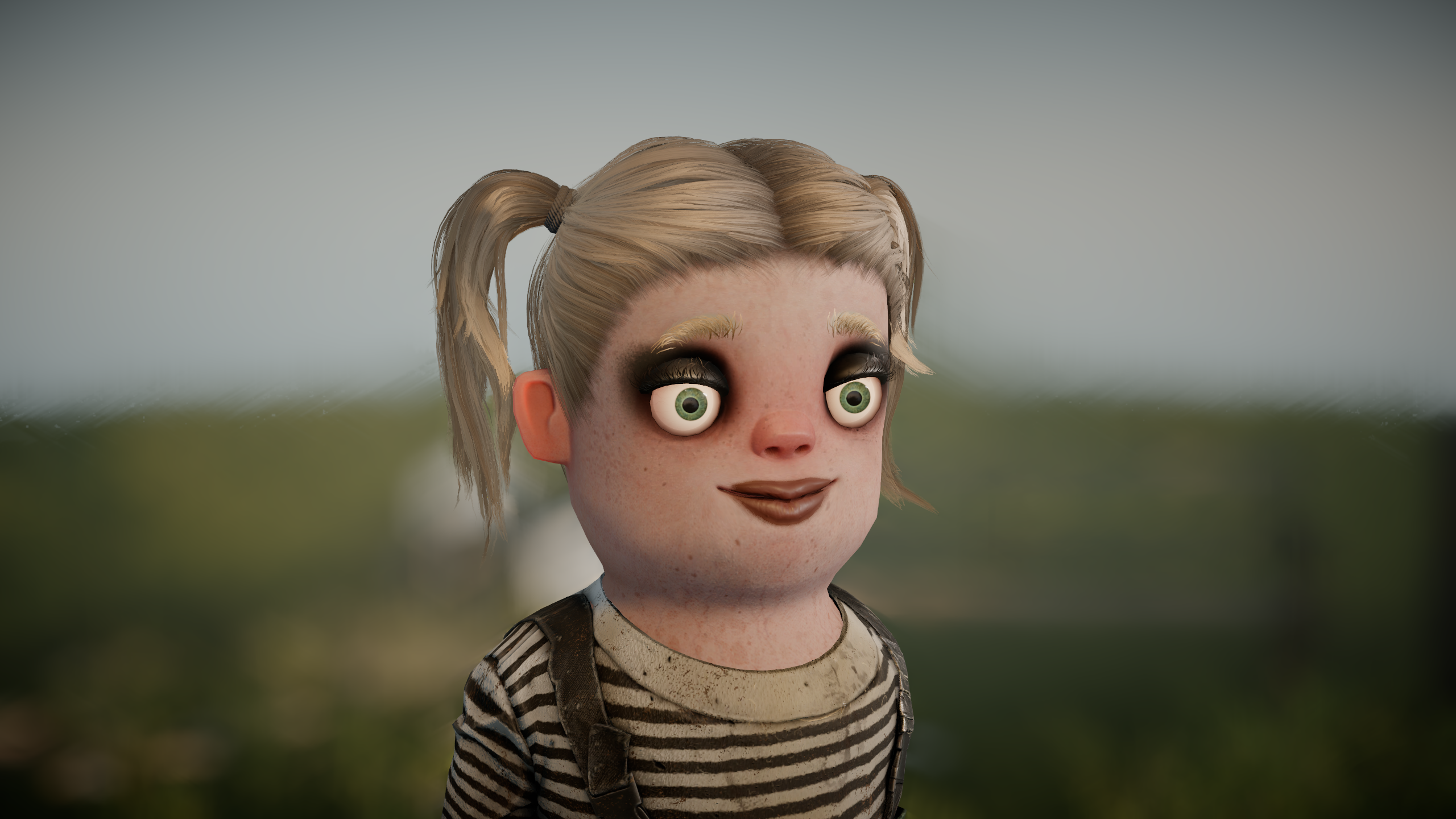
We're going to keep trying to make it work a bit longer, we're going to keep tweaking and trying to get it less divisive, but at some point we might have to hold our hands up and say okay, yeah, it didn't work, and flush him down the toilet and have a generic humanoid instead.
Of course, this isn't what "fixes" s&box on its own, but it something that comes up consistently in our many many many negative reviews, so it's something that we are addressing along with all the other feedback we receive.
Model Deformby garry
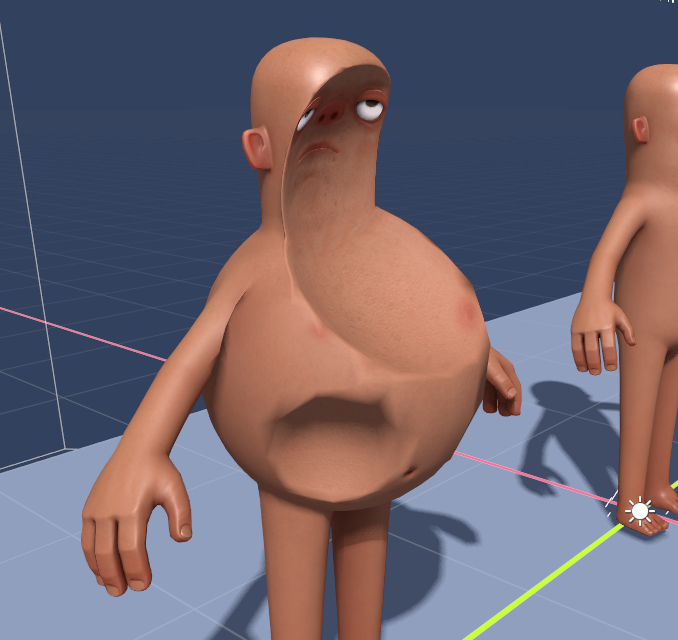
You can now reshape a model with a
ModelDeformer component. Add one as a child of a model, use its volume to choose the affected area, and inflate, squash, stretch, transform, pull or project that part of the mesh. Deformers can be stacked with an explicit priority to control their order.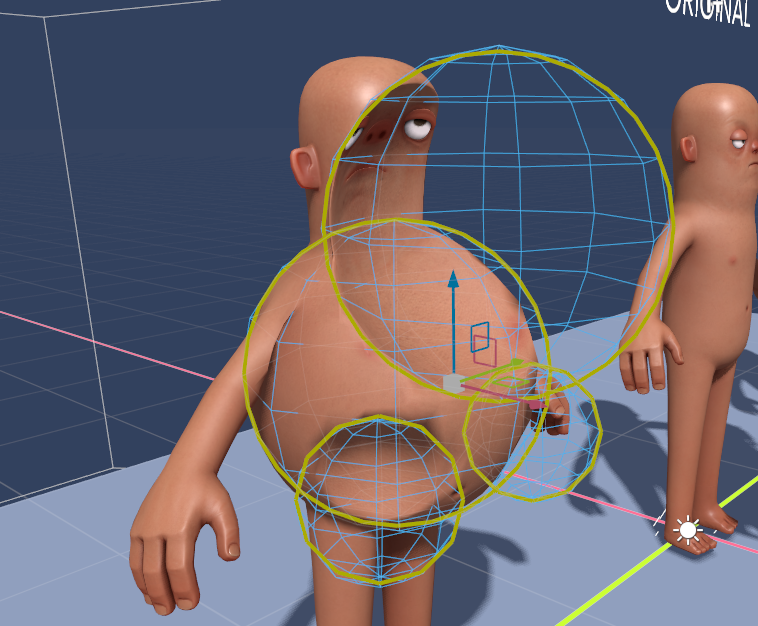
Friends and Partiesby devultj
We've moved some stuff around, and moved the friends list so it's all up in your face on the right side of the main menu. We want to make it as simple as possible for you to invite your friends, and see what they're up to.

We've also added a new player card, that shows when you click on one of your friends. It shows their avatar too!

Game Overview Refreshby devultj

Loading Screen Refreshby devultj

Main Menu Musicby garry
New Startup Screenby garry

Voice Chat Settingsby devultj
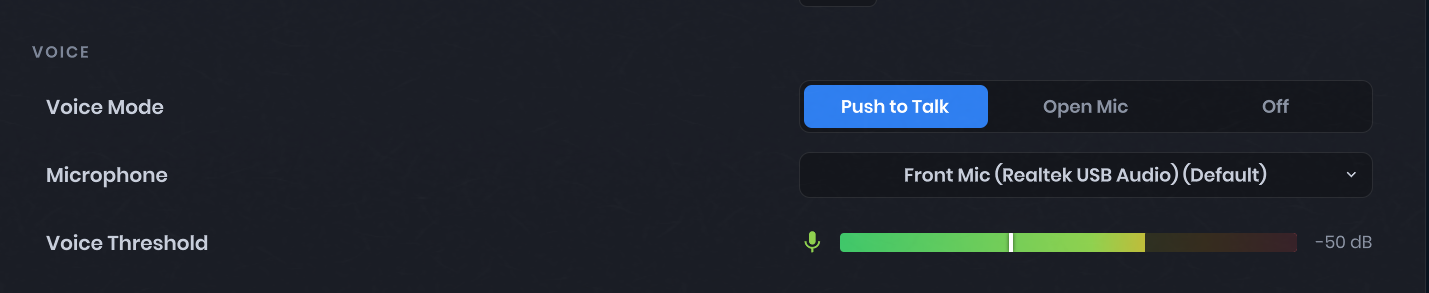
Voice chat now uses SDL for microphone capture and Opus for compression. You can select your microphone directly in the in-game audio settings, with a live meter to help set the voice activation threshold.
GPU Profiling Scopes for Command Listsby wheatleymf

overlay_gpu 1) and external tools. This should be useful for measuring performance cost of specific sections of your rendering code.This is how you can add a profiling scope:
static readonly ProfilingSampler MyProfilingScope = new( "My Profiling Scope" );

// inside the command list execution code:
using ( _commandList.ProfileScope( MyProfilingScope ) )
{
    // do something here...
}using ( _commandList.ProfileScope( ParentScope ) )
{
using ( _commandList.ProfileScope( NestedScopeA ) )
{
// something here...
}
using ( _commandList.ProfileScope( NestedScopeB ) )
{
// something here....
}
}Clutter Optimizationsby  antopilo
Scene Compilationby  Layla
Layla
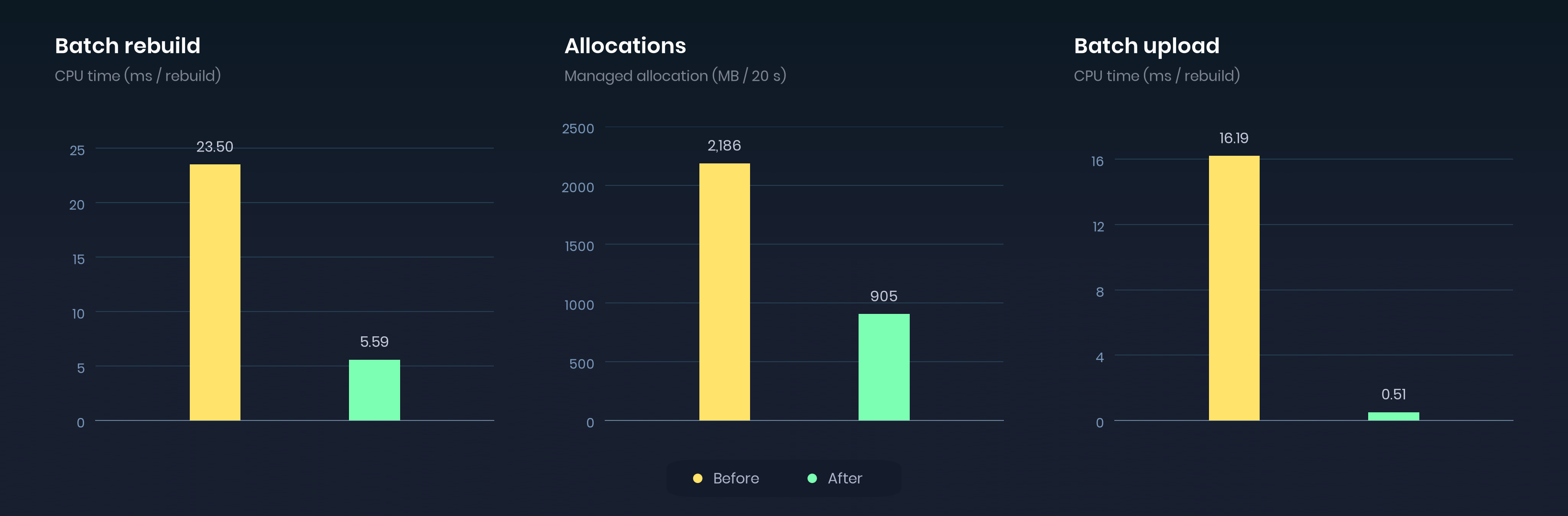
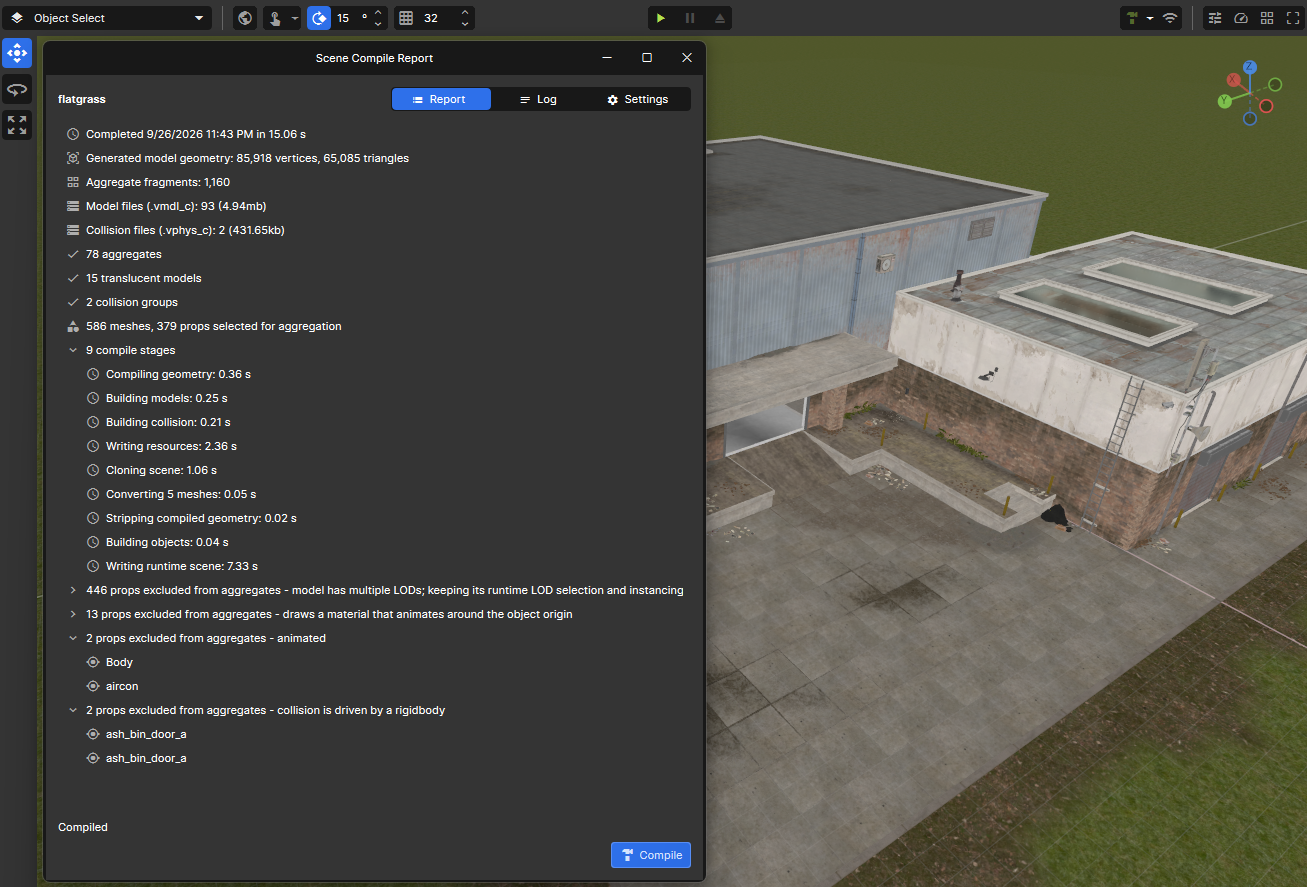
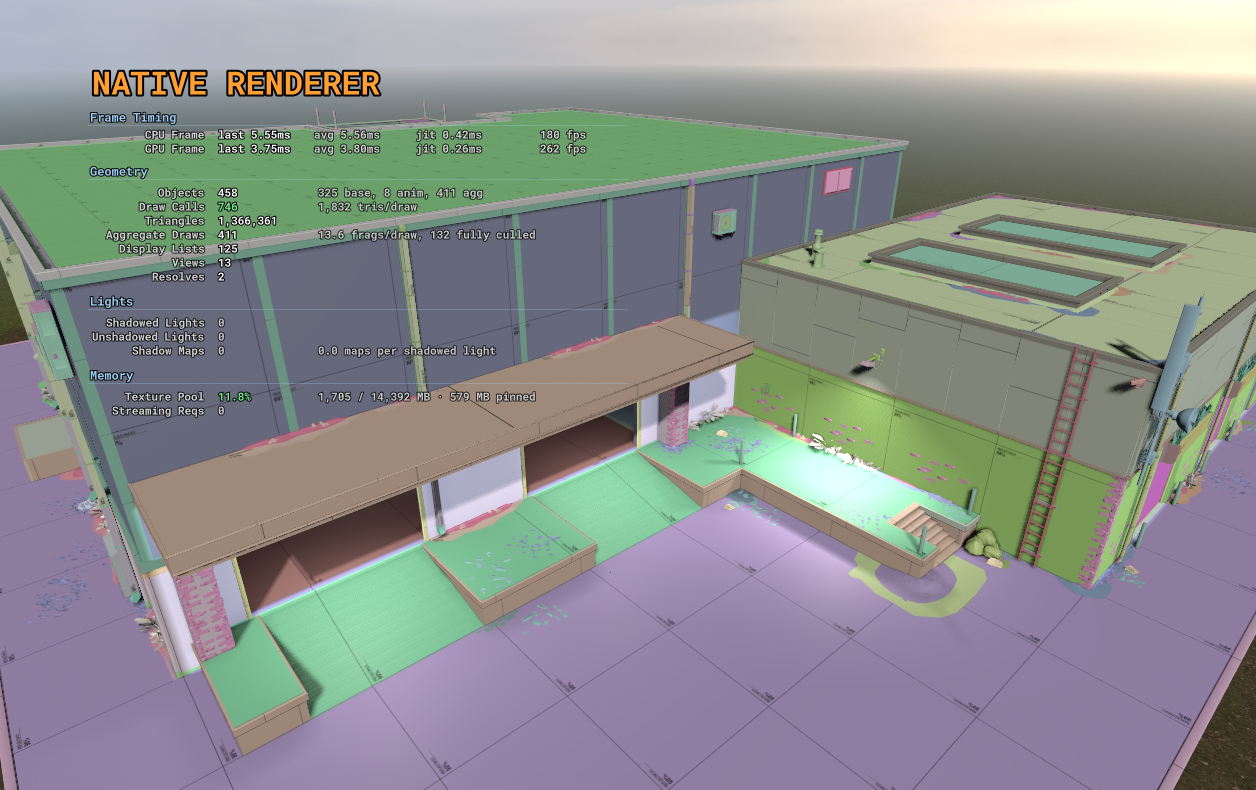
You can now compile scene meshes and models into combined static geometry and collision using Scene > Compile Scene. This is similar to the map compiling in hammer, another step closer to bringing map editing over to the scene editor.
Depth of Field Improvementsby antopilo
Depth of field now has a focus picker: click an object in the scene to set the focus instead of finding the distance by trial and error. The focal-distance and range controls have also been expanded for larger scenes.
Faster Game Loadingby  Lorenz
Downloads
Cherry picked from our benchmarks:
- On average hardware with a 200 Mbit/s connection, a game with lots of small files downloads about 50% faster
- Games with lots of other package dependencies benefit the most, one went from 19.4s to 6.6s
- The faster your connection the bigger the gain, slow connections were already mostly network bound
Loading
- Files were mounted one at a time
- Package dlls were downloaded again on every load
- Backend calls waited on each other instead of running in parallel
Loading sandbox on flatgrass:
- Cold load (first load after starting s&box): ~20s to ~9s
- Warm load (loading it again in the same session): ~7s to ~5.5s
Faster Painter Drawingby garry
Rendering Stabilityby matt
We have fixed several causes of GPU crashes, including depth-normal work on some AMD cards, cubemap filtering, render input layouts, and cleanup when maps unload or the renderer shuts down.
There are also fixes for replacing DLSS upscalers and initializing or sharing FSR3 upscalers. When VRAM is over budget, the texture pool now shrinks by the amount it is over, including in tools. GPU crash reports include more information about the failing call, shader and memory budget to help track down remaining problems.
Database Serviceby garry
Sandbox.Services.Database. There are a million ways you can use this and I'm sure we'll expand on it in the future.This allows you to save data in a database for your package, on the backend. The data persists between sessions obviously, and can be public or private. You can get all entries for a particular group etc.
var messages = Database.GetTable( "player-messages" );

// The message and its world position.
var data = Json.Serialize( new
{
    Text = "That chest has teeth.",
    Position = new Vector3( 120, 450, 32 )
} );

await messages.Create( Guid.NewGuid().ToString(), data, "dungeon-01", true );
var records = await messages.List( "dungeon-01" );
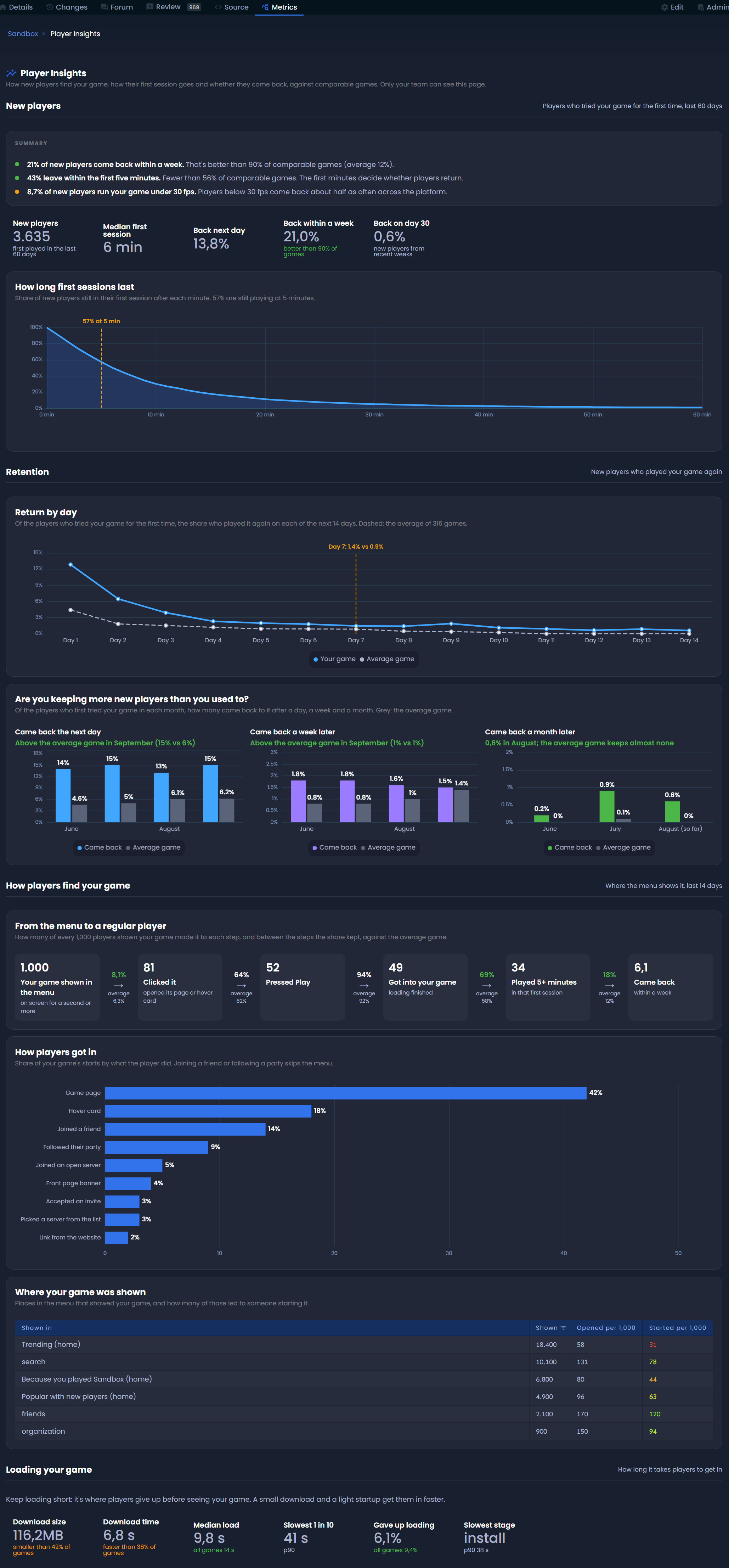
Player Insights for Game Creatorsby Lorenz
sbox.game/<your-org>/<your-game>/metrics/player-insights.Only members of the game's organization can see it.
Player Retention
- How long players stay during their first session
- How many come back the next day, a week later and a month later
- Whether that's getting better or worse over time
Discovery & Onboarding
- Where the menu showed your game and how players got in
- Whether the thumbnail, description and video convince them to press play
- Whether the first 5 minutes keep them engaged
There's also a small section on loading, since a big download or slow startup is where players give up before they've seen anything.
Everything is compared against similar games, so you can tell whether your numbers are actually good.
Game Metadata Moved from the Web to the Editorby Lorenz
Terrain Rendering Fixesby  Sam Pavlovic
Terrain holes and outer edges are now clipped before pixel shading. This restores early depth rejection and lets MSAA smooth the cut edges, while avoiding shader work on terrain that will be discarded.
We also fixed the terrain depth prepass writing incorrect surface data. It now outputs the proper normals and roughness, restoring ambient occlusion on terrain.